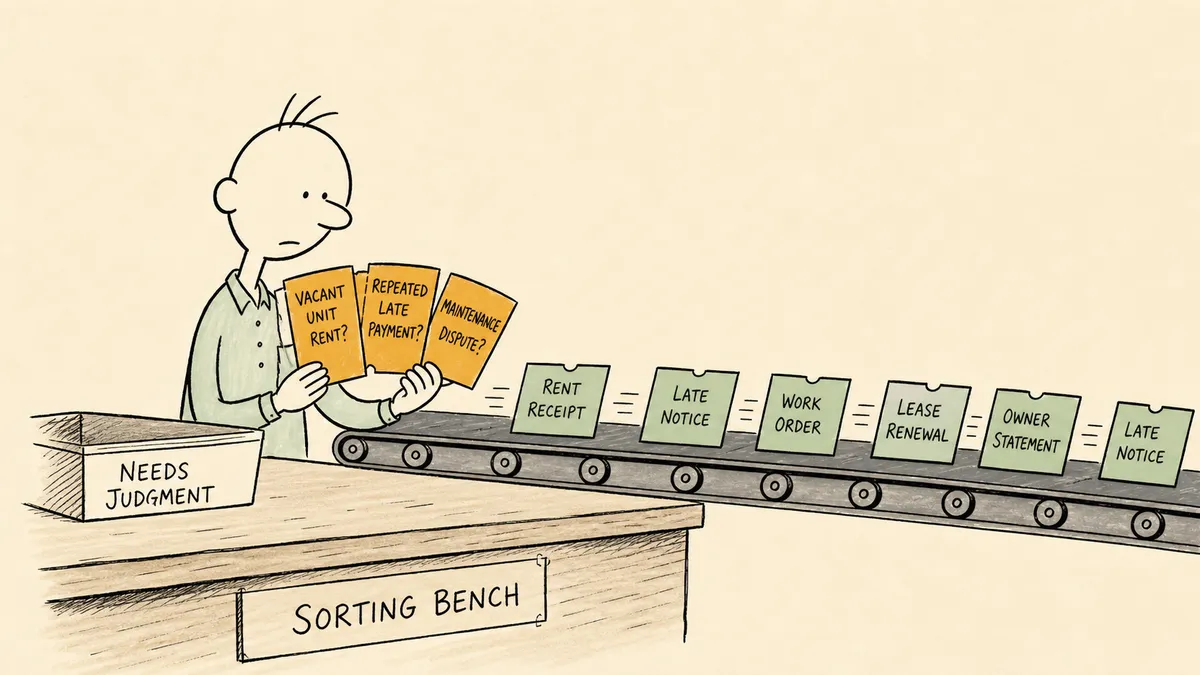
Property management automation means letting software run the repeatable work of renting and maintaining property, and the right place to start is the platform you already run your portfolio on. These are the ten tasks most worth automating:
- Listings and lead response
- Rental applications and tenant screening
- Lease documents and e-signature
- Rent collection and late fees
- Maintenance requests and work orders
- Resident communication
- Lease renewals
- Accounting and bank reconciliation
- Owner statements and distributions
- Vendor invoices and bill pay
Platforms such as AppFolio, Buildium, Yardi Breeze, and DoorLoop handle most of this list out of the box. What stays manual after that is the work between your platform and your other systems, plus the decisions that need a person. This guide covers each task, the tools that run it, and where someone on your team should still decide.
Property management automation at a glance
| Task | What software handles | Where it runs | Where a person decides |
|---|---|---|---|
| Listings and leads | Listing syndication, instant replies, showing scheduling | PM platform or leasing add-on | Pricing, exceptions to criteria |
| Applications and screening | Online applications, screening reports, status updates | PM platform | Approve or deny |
| Leases | Templates filled from unit data, e-signature, storage | PM platform | Non-standard clauses |
| Rent collection | Autopay, reminders, late fees, posting to the ledger | PM platform | Payment plans, fee waivers, legal notices |
| Maintenance | Request intake, triage, vendor dispatch, status updates | PM platform or maintenance add-on | Spend above the owner’s limit, emergencies |
| Resident communication | Notices, reminders, answers to routine questions | PM platform | Complaints and disputes |
| Renewals | Outreach before expiration, offer, e-signature | PM platform | Renewal rent, retention offers |
| Accounting | Bank sync, categorization, payment matching | PM platform and your general ledger | Items that do not match |
| Owner reporting | Monthly statements, distributions, owner portal | PM platform | Custom fee logic, owner questions |
| Vendor invoices | Intake, coding to property, approval routing, payment | PM platform or AP add-on | Invoices that do not match a work order |
10 property management tasks to automate
1. Listings and lead response
Post a vacancy once and let the platform send it to the rental sites. Reply to every inquiry within minutes with pre-qualification questions and a link to book a showing, then send follow-ups to people who go quiet.
Keep a person on rent pricing and on any request to bend your stated criteria.
2. Rental applications and tenant screening
Applicants fill in their own details online, the screening report is ordered automatically, and the applicant gets status updates without anyone writing an email. The approve or deny decision stays with a person, applying the same written criteria to every applicant. Screening is where the Fair Housing Act applies most directly, so automate the paperwork and keep the judgment human.
3. Lease documents and e-signature
Generate the lease from a state-appropriate template with the unit details filled in from the record, send it for e-signature, countersign, and file it. The move-in checklist can start the moment the last signature lands. If you sign outside your platform, a tool like DocuSign can carry this step.
Any clause that departs from your standard template should get a human read before it goes out.
4. Rent collection and late fees
This is the first thing to automate and the one property managers talk about most. Rent collection shows up in 84 of 193 G2 reviews of property management software that mention automation. Turn on:
- Online payments by ACH and card through the resident portal, with autopay
- Reminders before the due date and after it
- Late fees applied automatically after the grace period
- Payments posted to the ledger as they clear
A person handles payment plans, hardship requests, and decisions to waive a fee. Formal legal notices belong with a person too, even when a courtesy reminder runs on its own.
5. Maintenance requests and work orders
Give residents a portal that takes requests around the clock, with photos. The platform sorts each request by category and urgency, dispatches it to the right vendor, and keeps the resident updated. Unresolved tickets escalate after a set time. Preventive work, such as HVAC service and inspections, goes on a schedule so nobody has to remember it.
A person approves spending above the owner’s limit and settles disputes over who pays for damage. True emergencies go straight to a person.
6. Resident communication
Templated notices and reminders go out on their own. DoorLoop, Yardi Breeze, and AppFolio now offer AI assistants that answer routine resident questions. Complaints and anything sensitive should reach a person quickly, with the resident’s history attached.
7. Lease renewals
Send renewal outreach on a schedule tied to each lease’s end date, beginning 90 days out. Send the offer, collect the e-signature, and update the lease record. If the resident declines, the move-out and unit-turn tasks start without anyone kicking them off.
The renewal rent and any retention offer for a resident you want to keep are decisions for a person.
8. Accounting and bank reconciliation
Connect bank feeds and let the platform match incoming payments to charges. Recurring bills such as utilities and insurance can post on schedule. What does not match is where people come in: a deposit with no charge behind it, or a platform balance that differs from the bank or the general ledger. Someone has to look at both records and decide which one is right.
9. Owner statements and distributions
Monthly owner statements and distributions run on a schedule, and owners see their numbers in a portal instead of asking for them by email. When management fees and owner splits vary by contract, they end up in a spreadsheet beside the platform. That custom logic is manual work and a good candidate for automation once the standard statements are running.
10. Vendor invoices and bill pay
Capture vendor invoices from email, code them to the right property and account, route them for approval, and pay them. A person reviews invoices above a dollar threshold and any invoice that does not match the work order it claims to bill.
Property management automation tools
The tools fall into three groups. Every portfolio needs the first. The other two cover work the platform does not do well on its own.
All-in-one property management platforms
This is your system of record: units, leases, residents, the ledger, and the standard workflows that run on them. Here is how the main vendors describe their own automation, taken from their sites in November 2026.
| Platform | What the vendor says it automates |
|---|---|
| AppFolio | Realm-X Flows, which AppFolio calls “a workflow automation engine,” with templates for rental applications, rent collection, debt collection, lease renewals, lead nurturing, delinquencies, unit turns, and listing units. Realm-X Performers handle steps for maintenance, leasing, resident messaging, and accounting. |
| Buildium | Online rent payments, automatic late fees, work order assignment by issue type or location, lease renewal reminders, and monthly owner statements. Open API access comes with the Premium plan, per Buildium’s pricing page. |
| Yardi Breeze | Online payments, online maintenance, and owner payments and reports, across residential, commercial, affordable, self storage, HOA and condo, and manufactured housing properties. |
| DoorLoop | Rent reminders, payments, late fees, and reporting, plus lease eSign, a Lease Renewals Agent, and Workflows. |
Entrata, ResMan, Rent Manager, TenantCloud, and TurboTenant also compete in this category, with TenantCloud and TurboTenant aimed at independent landlords. Choose on portfolio size and property mix first. Every platform above covers the core list, so automation features rarely decide the purchase.
Point tools for one job
Specialist tools go deeper on a single task and connect to your platform through its marketplace, such as AppFolio Stack. Buildium’s own roundup of automation tools lists Property Meld for maintenance coordination, ShowMojo and Tenant Turner for showings, LeadSimple for process workflows, AvidXchange for invoice and bill pay, Nutiliti for utility billing, and HappyCo and Inspectr for inspections. Add one when a task outgrows what your platform does natively.
Workflow and orchestration tools
General automation tools connect apps that do not talk to each other: a new lead in a form becomes a contact in your CRM, or a signed document lands in a shared folder. They work well for moving data from one place to another. The harder work, routing a decision to the right person with the facts attached and waiting for an answer, needs an orchestration layer. More on that below.
How to automate property management in 5 steps
- List the recurring work. For one week, write down every repeating task and who does it.
- Turn on what your platform already does. Autopay, late fees, the maintenance portal, renewal reminders, and owner statements are already in what you pay for. Run them for a full month before buying anything else.
- Write down what is still manual. Every task that still lives in a spreadsheet or an email thread goes on the list. That list is your real requirement for any further tool.
- Sort each item. Some can run end to end once something connects the systems involved. Others need a person every time. How to decide which workflows are worth automating walks through the sorting.
- Pilot one workflow that crosses systems. Pick the most painful one, put a real person on the decision step, and run it for real before you expand. The decision step is where most automations break in production, which why automations fail in production explains.
What still needs a person in property management
Most automation guides, including the vendor guides above, stop at the platform’s settings page. In offices that have already turned those settings on, the work that remains looks different. It sits between systems, or it waits on someone who has no login to the platform. Adding more settings inside the platform will not reach it. These are the places it shows up:
- People outside the platform. An owner or a regional manager who was never set up in your system. The platform can assign a task to its own users, and pulling in anyone else falls to email and phone calls.
- Records that disagree. When the platform’s numbers differ from the bank or the general ledger, someone has to compare the records and decide which is right.
- Disputes. A contested damage charge or a complaint between neighbors needs someone to read the lease and the message history before deciding.
- Approvals that need several sources. Crediting a resident can depend on the lease terms and the owner’s policy at the same time, and those rarely sit on one screen.
- Custom fee logic. Fees and splits that vary by owner or contract, kept in a spreadsheet beside the platform.
[ ]
Each of these needs data from more than one system and a judgment call from a person, and none has a native home inside a single platform.
Where an orchestration layer fits
Work that crosses systems and people needs its own layer above the property management platform. That layer gathers the facts the platform does not hold and brings a person in when a decision needs judgment. An orchestration layer is built for that job, and FlowRunner is built for that layer. It sits beside your platform of record and does not replace it.
[ ]
The pattern is human-in-the-loop: an execution pattern where AI agents pause autonomously, assemble the relevant context and the decision choices available, route to a human via their preferred channel, and resume the moment the human responds. In FlowRunner, an AI agent does the gathering and the routine steps. When it reaches a decision, it pauses and asks the right person on Slack, email, WhatsApp, or phone, with the facts in the message. The person can ask the paused flow questions before answering, and the run picks up from their reply. Every step is recorded.
In property management, that looks like:
- A maintenance escalation that reaches the regional manager with the full ticket attached, even though that manager has no seat in the platform. See approval routing for the general pattern.
- A rent roll check that compares the platform against QuickBooks Online or your bank and sends only the mismatches to a person, before month end. See data reconciliation.
- A credit request that pauses to ask the owner, then issues the credit and records who approved it and why.
- A resident complaint that is sorted, summarized, and sent to the right person with the history attached. See complaint triage.
A flow can start from the email notifications your platform already sends, through Gmail or Outlook, or call the platform’s API where your plan includes one. You can describe the flow in plain English and FlowRunner Prompt to Flow builds it. For a closer look at what a good review step contains, read what a good human in the loop review looks like. For where AI agents fit compared with rule-based automation, see AI automation vs AI agents.
If you already run AppFolio or Buildium, the platform-specific reads cover what stays in the platform and what moves to the orchestration layer: FlowRunner vs AppFolio and FlowRunner vs Buildium. The property management automation overview shows the full cross-system setup.
Where to go from here
Start with the ten tasks inside your platform, beginning with rent collection, and run them for a full month. Then take the list of what is still manual and pick the one cross-system workflow that costs your team the most hours. If you would rather have it built for you, our implementation team can build that first workflow in your FlowRunner workspace, and the details are just below.
Frequently asked questions
What is an automated property management system?
It is property management software that runs routine rental tasks on its own: collecting rent and charging late fees, taking maintenance requests and dispatching vendors, sending renewal offers, and producing owner statements. AppFolio, Buildium, Yardi Breeze, and DoorLoop are examples. Work that crosses into other systems or needs a person's decision is handled by a workflow or orchestration tool connected to it.
What is the first property management task to automate?
Rent collection. Online payments, autopay, reminders, and automatic late fees are built into every major platform, and rent collection is the automation property managers mention most in G2 reviews: 84 of 193 reviews that mention automation.
Does property management automation replace property managers?
No. It takes the repeatable work off their desk so one team can handle more doors. Screening decisions, disputes, payment plans, and owner conversations stay with a person, and good automation brings that person the facts they need instead of leaving them to dig.