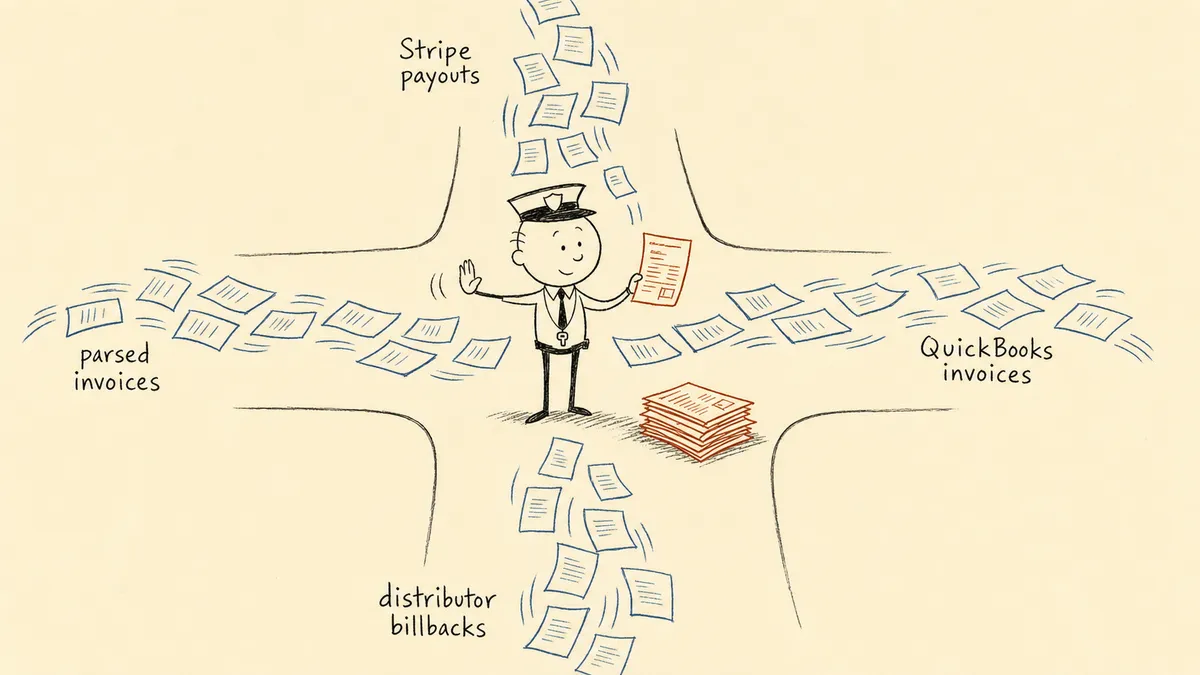
Reconciliation tools are software that check whether two sets of financial records agree, such as your bank statement and your general ledger, or Stripe payouts and your invoices, and flag the items that don’t match. Here are eight worth comparing for a mid-market finance team:
- FlowRunner, for matching across systems and sending the mismatches to a person
- BlackLine, FloQast, Trintech Adra, HighRadius, and Numeric, for account reconciliation inside the month-end close
- SolveXia, for no-code data matching across many sources
- Built-in reconciliation in QuickBooks Online, Xero, and NetSuite
FlowRunner is our product. Every fact about the other tools below comes from the vendor’s own site, linked, as checked in November 2026.
The three types of reconciliation tools
The tools on this list do different jobs, and the search results mix them together. Sorting them by type first saves a lot of demos.
- Built-in reconciliation. Part of your accounting system or ERP. It checks bank and credit card accounts against statements. Every company has it, and it’s where reconciliation starts.
- Close and account reconciliation platforms. These reconcile balance sheet accounts at month end, track reconciling items, and collect reviewer sign-off. The buyer is the controller and the users are accountants. Most add transaction matching for high-volume accounts.
- Cross-system matching and exception routing. This covers records that move between systems before anything reaches the close: Stripe payouts against invoices, vendor bills against purchase orders, distributor billbacks against shipments. The work is matching them as they arrive and getting each mismatch to the person who can resolve it.
The types aren’t exclusive. A company can run QuickBooks bank reconciliation, a close platform, and cross-system flows at the same time, each on different work.
Reconciliation tools at a glance
| Tool | Type | What it reconciles | Fits | Pricing |
|---|---|---|---|---|
| FlowRunner | Cross-system matching and exception routing | Payments, invoices, bills, and statements across Stripe, QuickBooks Online, NetSuite, Xero, Acumatica, and inboxes | Teams whose mismatches span several systems and need a person to decide | Free plan; paid from $5/month |
| BlackLine | Close platform | Balance sheet accounts; high-frequency transaction matching | Finance teams standardizing reconciliation and certification in the close | By quote |
| FloQast | Close platform | Account reconciliations; AI matching for high-volume daily transactions | Accounting teams on NetSuite, SAP, Workday, Microsoft, Sage Intacct, or Xero | By quote |
| Trintech Adra | Close platform | Balance sheet accounts; multi-way transaction matching | Teams wanting reconciliation, matching, close tasks, and journals in one suite | By demo |
| HighRadius | Close platform | Bank, intercompany, POS, and cash accounting reconciliation | Mid-market and enterprise teams on SAP, Oracle, Dynamics 365, or NetSuite | By demo |
| Numeric | Close and finance data platform | ERP accounts, auto-submitting those that tie out under materiality | Accounting teams on NetSuite | By quote |
| SolveXia | No-code data matching | Bank feeds, ERP data, invoices, and payment files | Teams with high-volume or unusual data to match without IT | By demo |
| QuickBooks Online, Xero, NetSuite | Built-in | Bank and credit card accounts against statements | Every company on those systems | Included; NetSuite Account Reconciliation is an add-on module |
The eight tools, one by one
1. FlowRunner
What it does. FlowRunner runs reconciliation as a flow across the systems where the records live. A trigger starts it: a Stripe payout, a new bill in QuickBooks, a vendor invoice parsed from an inbox, or a bank statement dropped in a folder. The flow pulls the records on both sides, compares them with plain rules or an AI agent, and posts the ones that match. When an item doesn’t match, the flow pauses on that item and asks a named person in Slack, email, WhatsApp, or by phone, with both records attached. The person can ask the paused flow for more detail before deciding, and the flow carries on from the answer.
Fits. Finance and AP teams whose reconciliation crosses systems: Stripe against QuickBooks Online, parsed vendor bills against NetSuite or Acumatica, bank statements against an invoice register in Google Sheets. It runs next to whatever close platform you use.
Worth knowing. You can describe the flow in plain words and have FlowRunner Prompt to Flow build it; here is a bank reconciliation flow built from one prompt, where plain rules do the matching. The Free plan includes 100 runs a month, every integration, and unlimited users. Professional, at $299 a month, adds 30-day audit trails and role-based access control (pricing).
2. BlackLine
What it does. BlackLine says its account reconciliation software helps you “automate your end-to-end account reconciliations” using its Verity AI. Verity Prepare is an agent that prepares reconciliations “ready for final human review.” BlackLine also lists auto-certification of low-risk reconciliations based on criteria you define, transaction matching for high-frequency reconciliations, and an audit trail of “every human and AI-driven action.”
Fits. Finance teams standardizing balance sheet reconciliation and certification inside a structured close.
Worth knowing. The product page shows no prices; you go through sales. For a head-to-head on where each fits, see FlowRunner vs BlackLine.
3. FloQast
What it does. FloQast describes its platform as managing “the checklists, reconciliations, operations, and projects behind your close in one platform.” Its account reconciliations “tie balances to support, track reconciling items, and enforce review and sign-off.” It also lists AI Matching for “3-way, high volume, daily transactions” and AI Agents.
Fits. Accounting teams running the close on the ERPs FloQast names: NetSuite, SAP, Workday, Microsoft, Sage Intacct, and Xero. FloQast says 3,500+ companies use it.
Worth knowing. Pricing is by quote. Our FlowRunner vs FloQast comparison covers how the two split the work.
4. Trintech Adra
What it does. Adra is a suite. Adra Balancer reconciles accounts “based on customizable variance thresholds.” Adra Matcher does “automated multi-way transaction matching.” Task Manager runs close checklists and Journal Entry handles journals. Trintech also sells a second suite, Cadency.
Fits. Teams that want reconciliation, matching, and close tasks from one vendor. Trintech lists pre-built connectors for NetSuite, Microsoft Dynamics, and Planful.
Worth knowing. No public pricing; the page offers a demo.
5. HighRadius
What it does. HighRadius sells account reconciliation software built around AI agents. Its Bank Reconciliation Agent “automates matching between Cash GL and bank statement transactions,” and it lists agents for intercompany, POS, and cash accounting reconciliation.
Fits. HighRadius says it serves “1500+ Enterprises & Mid-Market” companies and names SAP S/4HANA, Oracle Fusion, Microsoft Dynamics 365, and NetSuite.
Worth knowing. No public pricing; the page offers a demo.
6. Numeric
What it does. Numeric’s reconciliation product pulls “every transaction from your ERP” and lets you “automatically submit any account that ties out and remains under your set materiality threshold.” Numeric now calls itself “the data platform for finance teams,” covering close, revenue recognition, and cash management, with an ERP replacement option.
Fits. Accounting teams on NetSuite, the ERP its reconciliation page names. The page connects to “NetSuite SavedSearches,” cloud storage, and data warehouses.
Worth knowing. Pricing is by quote and, per Numeric’s pricing FAQ, depends on factors such as transaction volume and seat count.
7. SolveXia
What it does. SolveXia’s reconciliation product uses “smart fuzzy logic and AI-powered matching rules” and a “no-code/low-code approach” that it says “reduces dependency on IT.” It pulls bank feeds, ERP data, invoices, and payment files into one place.
Fits. Teams with high-volume or unusual data matching outside the ERP’s own reconciliation. Its site lists financial services and fintech, retail, travel, and health.
Worth knowing. No public pricing; the page offers a demo, and SolveXia’s implementation team can build processes for you.
8. Built-in reconciliation in QuickBooks Online, Xero, and NetSuite
What it does. QuickBooks Online describes reconciling as “comparing your QuickBooks accounts with your real-life bank and credit card statements.” Xero’s bank reconciliation brings in transactions through bank feeds, suggests matches when it isn’t confident, and lets you set bank rules for repeat transactions. Oracle offers NetSuite Account Reconciliation as part of NetSuite Enterprise Performance Management, connected to NetSuite ERP through a SuiteApp.
Fits. Every company on these systems, for bank and card accounts.
Worth knowing. Built-in tools reconcile one ledger against a statement. A mismatch that starts in Stripe, a vendor’s inbox, or a distributor portal is outside what they see.
How to choose a reconciliation tool
Start with what you reconcile and where the resolution happens today.
- Bank and card accounts on QuickBooks Online or Xero, at a volume one person can handle: the built-in tool is enough.
- The month-end close is the bottleneck, and you need support and sign-off on balance sheet accounts: compare the close platforms. The close management software page covers that category.
- Mismatches happen between systems before the close (payouts against invoices, bills against POs, billbacks against shipments): you need matching across systems with exception routing.
Then put these four questions to every vendor on your shortlist:
- Which of your systems does it connect to? A tool that reaches two of your six systems leaves the rest to email and exports.
- How does it decide an item is an exception? Fixed tolerances, configurable rules, an AI agent that compares against past duplicates. Each produces a very different exception list.
- Who does it send the exception to, and on what channel? A queue nobody opens is the same as no routing. The item has to reach the named person who can fix it, where they already work.
- What does it record? Who decided what, when, and with what in front of them, in an order you can reconstruct for an auditor.
Why match rate is the wrong headline number
Every vendor in this category leads with an auto-match rate. Here is what the roundups won’t say: once a tool matches the large majority of items, the match rate stops telling you anything about your workload. Your team’s time goes to the items that didn’t match, and a high match rate says nothing about how fast those get resolved, by whom, or with what record. Ask vendors to show you an exception from start to finish instead.
Where the work piles up: the mismatches
The point where the matcher stops and a person has to decide is separate work from both the close and the matching engine. Someone has to gather the context, reach the right person, record the decision, and post the result. The category built for that seam is an orchestration layer: a system above your ledgers and payment tools that listens for what they emit, gathers the context the matcher didn’t have, brings a person in where judgment is needed, and records who decided what across the whole flow. FlowRunner is built for that layer.
In practice that is human-in-the-loop, an execution pattern where AI agents pause autonomously, assemble the relevant context and the decision choices available, route to a human via their preferred channel, and resume the moment the human responds. Compare the two ways an exception can reach someone. A batch queue says there are 47 items to look at tomorrow morning. A paused flow says this Stripe payout doesn’t match this QuickBooks invoice by $12.50; here is the customer and the fee Stripe deducted; approve the adjustment or send it on. The reviewer answers one question in Slack with everything in front of them, the flow posts the entry, and the run records who decided and when.
Common cross-system patterns:
- Stripe payments to QuickBooks invoices. Most match. Mismatches come from fee deductions, currency conversion, partial refunds, or a customer paying several invoices at once. See Stripe and QuickBooks reconciliation with Slack escalation and Stripe to QuickBooks with a person on the mismatches.
- Duplicate vendor invoices. The same invoice arrives by email and through a portal, or two AP coordinators open the same inbox. See catching duplicate invoices before they post.
- Vendor history checks before a bill posts. A lookup against the ERP stops a double payment when both the company and a distributor pay. See NetSuite vendor matching with SuiteQL.
- Near-duplicate detection inside AP. See AP automation built on Acumatica.
- Distributor billbacks and freight allocation. The data lives in distributor portals and an account manager’s inbox. The flow pulls the billback, checks it against the shipment, asks the account manager if something is off, and posts only after confirmation.
Each of these happens before the close. The close platform, if you run one, then receives entries that already tie out, with the reason for each adjustment attached. If you’d rather have one of these flows built for you, our implementation team can set it up in your FlowRunner workspace.
Frequently asked questions
What are reconciliation tools?
Reconciliation tools are software that check whether two sets of financial records agree, such as a bank statement and the general ledger, and flag the items that don't match. They range from the reconciliation built into QuickBooks Online, Xero, and NetSuite to close platforms like BlackLine and FloQast and cross-system tools like FlowRunner.
What is the best reconciliation software for a mid-sized company?
It depends on what you reconcile. For bank and card accounts, start with the tool built into your accounting system. For month-end account reconciliation and sign-off, look at a close platform. For mismatches between systems such as Stripe and QuickBooks, or vendor bills and your ERP, use a tool that matches across systems and routes the exceptions to a person.
Can you do reconciliation in Excel?
Yes, and small teams start there. It gets hard when volume grows, when the data comes from several systems that have to be exported every time, and when an auditor asks who approved an adjustment, because a spreadsheet keeps no record of decisions.
What is the difference between account reconciliation and transaction matching?
Account reconciliation proves that a general ledger account balance is correct at period end, with supporting documents and a reviewer's sign-off. Transaction matching pairs individual records between two sources, like bank lines to ledger entries or payouts to invoices, and runs daily or as the records arrive.