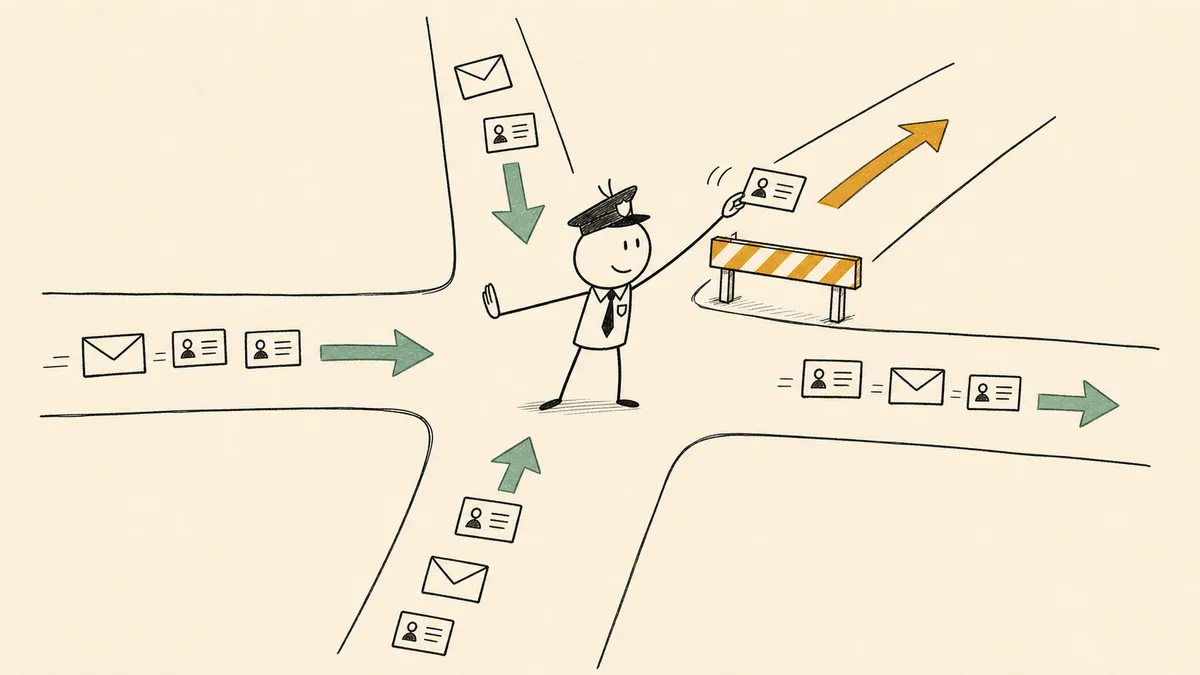
A marketing automation workflow is a set of steps that runs on its own when a trigger fires: a form submission, a purchase, a booked meeting, or a lead score crossing a threshold. Each workflow has four parts. The trigger starts it, conditions pick the path, delays set the timing, and actions do the work, such as sending an email, updating the CRM, or alerting a rep.
Below are 12 marketing automation workflow examples. The first five are the campaign workflows most teams start with. The other seven are the cross-tool workflows marketing ops runs between the CRM, the email platform, and sales. Each one lists its trigger, its steps, and where a person should review.
The 12 examples at a glance
| # | Workflow | Trigger | Main steps | Where a person reviews |
|---|---|---|---|---|
| 1 | Welcome series | New subscriber or signup | 3 to 5 emails over two weeks, tag by interest | Replies that ask a real question |
| 2 | Lead nurture | Lead downloads content or hits a lifecycle stage | Emails by topic, score updates, MQL check | Leads that stall at a high score |
| 3 | Abandoned cart | Cart created, no order after a set time | Reminder, second reminder, optional offer | High-value carts |
| 4 | Re-engagement | No opens or clicks for a set period | Win-back email, then suppress or remove | Customers who still buy but don’t open |
| 5 | Post-purchase | Order delivered | Thank-you, how-to content, review request, referral ask | Negative reviews and complaints |
| 6 | Inbound form to CRM | Form submission | Enrich, de-duplicate, score, assign owner | Fuzzy duplicates and failed enrichment |
| 7 | New lead to sales in Slack | New MQL in HubSpot or Salesforce | Route to rep, attach context, check open deals | Leads with unclear ownership |
| 8 | Meeting prep | Calendly booking | Pull CRM history, post brief to rep | Bookings that match no CRM record |
| 9 | Sales handoff with attribution | Score crosses MQL threshold | Carry campaign and source to the deal, notify rep, SLA task | Handoffs that miss the SLA |
| 10 | Event follow-up | Webinar or event registration | Sync to CRM, post-event nurture, owner alert | Target-account registrants |
| 11 | Lifecycle trigger | Usage milestone or renewal date | Update stage, suppress prospecting, start renewal sequence | At-risk accounts |
| 12 | Content distribution | New post published | Share to social, notify team, log in calendar | Posts on sensitive topics |
How to build a marketing automation workflow
Every example below follows the same build order:
- Pick one goal. “Turn new subscribers into first-time buyers” is a goal. “Engage our audience” isn’t one you can measure.
- Choose the trigger. An action (signed up, bought, booked), an inaction (no opens in 90 days), or a change in data (score crossed 50, stage moved to Customer).
- Add conditions. Branch on what you know: lifecycle stage, product interest, region, customer or prospect. HubSpot’s own workflow tool is built around this same trigger, condition, and action chain (HubSpot: create workflows).
- Set actions and timing. Decide what happens at each step and how long to wait between steps.
- Name the review point. Decide which cases go to a person and who that person is.
- Test, then measure. Run sample contacts through every branch, then track conversion at each step once it is live.
Drawn as a flowchart, the cross-tool workflows share one shape:

Campaign workflow examples
These five live mostly inside your email or ecommerce platform, such as Mailchimp or Klaviyo.
1. Welcome series
Trigger: someone subscribes, creates an account, or downloads their first piece of content.
Steps: send the first email right away with what they signed up for. Over the next two weeks, send two to four more that introduce the product, show a popular use case, and ask what they are interested in. Tag contacts by the links they click so later emails match their interest.
Where a person reviews: replies. A welcome email that gets a real question back should reach a person, not sit in a no-reply inbox.
2. Lead nurture
Trigger: a lead downloads a guide, attends a webinar, or reaches a lifecycle stage such as Lead.
Steps: send content that matches the topic they showed interest in, update the lead score as they engage, and check after each step whether they meet your MQL criteria. Leads that qualify leave the nurture and go to sales (example 9).
Where a person reviews: leads that score high but never request a meeting. An SDR looking at the activity can tell a researcher from a buyer faster than another email can. If you use predictive scores to decide who qualifies, this guide to predictive lead scoring covers what those scores can and can’t tell you.
3. Abandoned cart
Trigger: a shopper adds items to the cart and doesn’t check out within a set time, such as one hour.
Steps: send a reminder with the items pictured. If there’s still no order, send a second reminder a day later. Add a discount only in the last message, if at all, so shoppers don’t learn to wait for one. The Shopify and Klaviyo guide and the Shopify and Mailchimp guide show the connection.
Where a person reviews: carts above a value you set, which a sales or support rep can follow up on directly.
4. Re-engagement
Trigger: a contact hasn’t opened or clicked in a set period, such as 90 days.
Steps: send a short win-back email asking whether they still want to hear from you. Contacts who click stay on the list. Contacts who don’t get suppressed from regular sends, which protects your sender reputation.
Where a person reviews: contacts who stopped opening email but still buy or use the product. Removing a paying customer from your list is a mistake an inbox metric can’t catch.
5. Post-purchase follow-up
Trigger: an order is delivered or a subscription starts.
Steps: send a thank-you, then setup or how-to content, then a review request once they have had time to use it, then a referral ask for customers who left a good review.
Where a person reviews: negative reviews and complaints. They should open a support ticket or go to a named owner, not trigger the referral email.
Cross-tool workflow examples for marketing ops
These seven cross the line between marketing tools, the CRM, and sales. Most example lists skip them, and they take most of a marketing ops lead’s week.
6. Inbound form to qualified lead in the CRM
Trigger: a form submission from a HubSpot form, a Google Form, or a landing page.
Steps: enrich the contact from a data provider, check for an existing duplicate in the CRM, score the lead, and set an owner by territory or product line.
Where a person reviews: low-confidence enrichment and fuzzy duplicate matches. They go to a marketing ops queue instead of merging automatically, because a wrong merge corrupts the record for good. The reference build is qualifying inbound leads from a form into HubSpot.
7. New CRM lead to a sales rep in Slack
Trigger: a new contact in HubSpot or Salesforce that meets your MQL criteria.
Steps: route to the right rep by territory or account ownership, attach the source, score, and recent activity, and check for an open opportunity so you don’t alert a rep about an account they already work.
The usual starting point is a lead-alert email that reps have learned to ignore. A Slack message with real context, posted where the rep already works, gets read. CRM routing rules decide who gets the lead (Salesforce: assignment rules); see how Salesforce lead assignment rules work for the native part. The workflow makes sure the rep finds out in time. The reference build is routing new HubSpot leads to Slack with duplicate checks.
Where a person reviews: leads that match two territories or none.

8. Meeting booking to pre-call prep
Trigger: a Calendly booking is confirmed.
Steps: pull the contact and account from the CRM, summarize recent touches and product interest, and send the brief to the rep in Slack before the call.
This is where marketing-sourced meetings meet the sales conversation. If the source never reaches the rep, marketing loses the credit for the meeting it booked. Calendly bookings can trigger downstream automation through documented webhooks (Calendly: event type integrations). The reference build is automated meeting prep from Calendly bookings.
Where a person reviews: bookings that can’t be matched to any CRM record. Flag them instead of sending a brief full of empty fields.
9. Lead score threshold to sales handoff, with attribution intact
Trigger: a lead score crosses the MQL threshold in HubSpot or Salesforce.
Steps: copy the campaign and source onto the opportunity, notify the assigned rep in Slack, and create a follow-up task with an SLA so the handoff has a deadline.
Attribution data lives in marketing tools and dies at the lead record. When the opportunity is created without the campaign and source fields, revenue can no longer be traced to the campaign that produced it. Salesforce documents campaign influence as the way to connect campaigns to opportunity revenue (Salesforce: campaign influence), and it only works if the IDs carry across from lead to opportunity. The reference build is lead scoring and campaign attribution in Salesforce.
Where a person reviews: handoffs that pass the SLA without a first touch, which escalate to the sales manager.

10. Event or webinar registration to follow-up
Trigger: a registration in the event tool.
Steps: sync the registrant to the CRM with the event as the source, add them to a post-event nurture, and alert the account owner if the registrant belongs to a target account. The Eventbrite and Mailchimp guide shows the first half.
Where a person reviews: target-account registrants. They get a personal-outreach task for the owner instead of the automated nurture, because personal outreach is the point of a target-account program.
11. Customer milestone to lifecycle marketing
Trigger: a product-usage milestone or an approaching renewal date, from the product database or the customer success tool.
Steps: update the lifecycle stage in the CRM, suppress prospecting campaigns so you stop marketing to an existing customer, and enroll the account in an expansion or renewal sequence.
Lifecycle marketing works best when the trigger is a real signal. “Send the renewal email 60 days out” is a calendar guess. “Send it when usage drops” is a signal, and it lives in a system that sees customer behavior, which is rarely the email tool.
Where a person reviews: accounts with falling usage, which go to the customer success manager before any automated email.
12. Content distribution off a publish event
Trigger: new content is published, through an RSS feed or a CMS webhook.
Steps: post to X and other social channels, notify the content channel in Slack, and log the post in the content calendar. Posting to X from an automation uses the documented Create Post action (X: manage posts).
This one saves copy-and-paste time across channels. It doesn’t generate pipeline on its own, and a list that calls it a growth engine is overselling it.
Where a person reviews: posts on sensitive topics, which wait for approval before they go out.
What separates workflows that hold up from ones that break
Most example lists judge a workflow by the lift it produced. In production, four structural choices decide whether a workflow is still running and trusted a quarter later:
- Duplicate handling at the CRM write step. Check for a duplicate before the record is written, so nobody has to merge records by hand later.
- A named review point. This is the digital andon cord, a metaphor for AI that stops the line when it hits uncertainty, borrowed from the Toyota Production System pull cord that signals a line needs human judgment. Low-confidence routing, failed enrichment, and target-account exceptions go to a named owner with the context attached.
- Stable IDs carried through every step. Campaign, source, and owner have to survive every handoff, especially lead to opportunity.
- An audit trail per run. When someone asks what happened to a lead, the answer is in one place.
None of these four lives inside a single marketing tool. HubSpot governs what happens in HubSpot, and Salesforce governs what happens in Salesforce. The duplicate check that reads both, the review step between them, and the IDs that cross from one to the other all sit in the space between systems. An orchestration layer is the category built for that space. It sits above the marketing stack, listens for what each tool emits, combines the signals, and brings a named person in when a decision needs judgment.
FlowRunner is built for that layer. Flows trigger on events from the tools you already run, including HubSpot, your email platform, and Slack. When a case needs judgment, the flow pauses and asks the right person in Slack, email, WhatsApp, or by phone, then continues with their answer. Every run keeps a log, so routing and attribution decisions can be reviewed later.
How to measure a marketing automation workflow
Track a few numbers per workflow, not one dashboard for all of them:
- Conversion at each step, so you can see where people drop out.
- Time from trigger to first sales touch for the lead-routing workflows.
- Unsubscribes and spam complaints for the email-heavy workflows.
- Pipeline and revenue traced to the workflow, which only works if attribution carries through (example 9).
- Volume sent to review, which tells you whether the review step is catching real exceptions or everything.
For where the marketing stack breaks and how the layer above it holds, see the marketing workflows solution page. If you are comparing tools to run these workflows, the comparisons with Make and Zapier lay out where each fits.
Any of these 12 can be sketched on a whiteboard in a few minutes. The review points, the IDs, and the audit trail take the real work, and they decide whether the workflow you ship is still trusted a quarter from now. If you’d rather have these workflows built for you, our implementation team can set them up in your FlowRunner workspace.
Frequently asked questions
What is a marketing automation workflow?
A marketing automation workflow is a set of steps that runs automatically when a trigger fires, such as a form submission, a purchase, or a lead score crossing a threshold. It uses conditions to pick a path, delays to set timing, and actions such as sending an email, updating the CRM, or notifying a rep.
What are some examples of marketing automation workflows?
Common examples are a welcome series, lead nurture, abandoned cart recovery, re-engagement, and post-purchase follow-up. Marketing ops teams also automate lead routing from forms to the CRM, new-lead alerts to sales in Slack, meeting prep, sales handoff with attribution, event follow-up, and lifecycle triggers for renewals.
How do you create a marketing automation workflow?
Pick one goal, choose the trigger that starts the workflow, add conditions for the different paths, then set the actions and the timing between them. Decide where a person reviews the unclear cases, test with sample records, and measure conversion at each step after launch.
Where should a human review step go in a marketing automation workflow?
At the low-confidence moments: unclear lead ownership, a failed enrichment lookup, a possible duplicate, or a target-account handoff. Automate the clear cases and route only the judgment calls to a named owner with the context attached.