ActiveCampaign Typeform Integration: Answers Reviewed First
Connect ActiveCampaign and Typeform so an agent creates a personalized intake form and syncs the response back automatically, pausing for a human when the answers are sensitive.
How do you connect ActiveCampaign to Typeform?
FlowRunner connects ActiveCampaign to Typeform by triggering On ActiveCampaign Event when a contact is tagged or a deal reaches a set stage, then having the agent call Create Empty Form to build a personalized intake form and Get Form Responses to detect and read the answer once it’s submitted. FlowRunner is a visual AI-agent orchestration platform where automations run autonomously and pause for human judgment on the steps that carry real consequence. The same connection can run as an AI agent that reasons about each response and calls a human-in-loop flow as a tool when the answers touch healthcare, financial, or other sensitive data, rather than syncing everything through untouched.
The problem it solves
A deal closes, and someone on the operations team has to set up client intake by hand. They copy the same generic form link into an email, wait for the response to land in their inbox, then manually re-key the answers into ActiveCampaign: updating the contact, adding a tag, remembering which automation the client should enter. Multiply that across a busy week and intake starts to slip. A response sits in an inbox for two days before anyone notices, or a compliance-sensitive answer, a health condition mentioned in an open text field, a bank detail on a vendor form, gets copied into the CRM along with everything else because nobody is checking for it.
This is the kind of process that looks fine on a spreadsheet of one and falls apart at scale. The marketer or ops lead doing this work isn’t the bottleneck by choice; they’re doing manual data entry because nothing connects the form to the CRM automatically. Meanwhile the exceptions, the responses that actually need a second set of eyes, get the same treatment as routine ones because there’s no step built in to tell them apart.
How it works: the connection
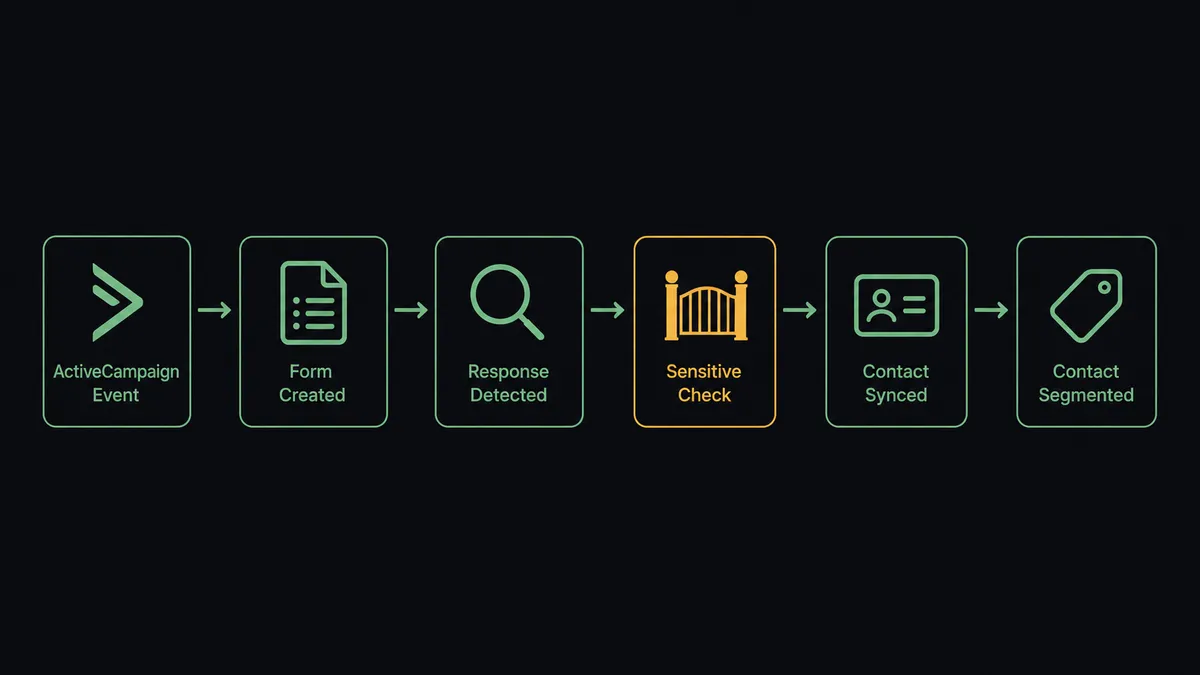
The flow starts on the ActiveCampaign side. The On ActiveCampaign Event trigger fires in real time when a contact is tagged, a deal changes stage, or another account event you select occurs, so the flow reacts the instant a client is ready for onboarding instead of polling for it.
From there, the agent calls Create Empty Form to provision a fresh Typeform for that specific contact, and sends the link. It then calls Get Form Responses to detect the submission once it comes in. The answer data flows back into ActiveCampaign: Sync Contact upserts the record so the same person never becomes two contacts, Create Field Value writes the intake answers into custom fields, and Add Tag To Contact segments the contact for what comes next. Add Contact To Automation enrolls them in the right nurture or onboarding sequence in the same run. Nothing waits for someone to notice a new email.
Can an AI agent run it? (and why a human stays in the loop)
Yes, and this is where it stops being a sync tool. A basic integration would move every Typeform response into ActiveCampaign the same way, regardless of what’s in it. The agent doesn’t. It reads the submitted answers, reasons about the content, and decides whether the response can sync forward on its own or needs a person first.
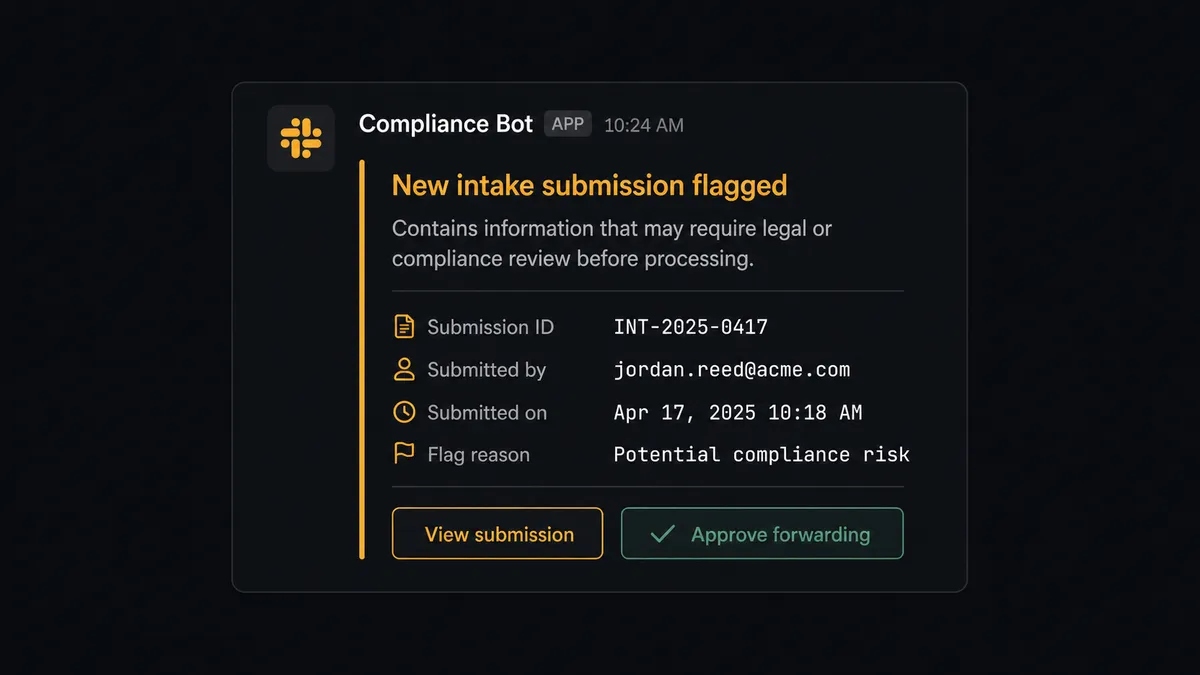
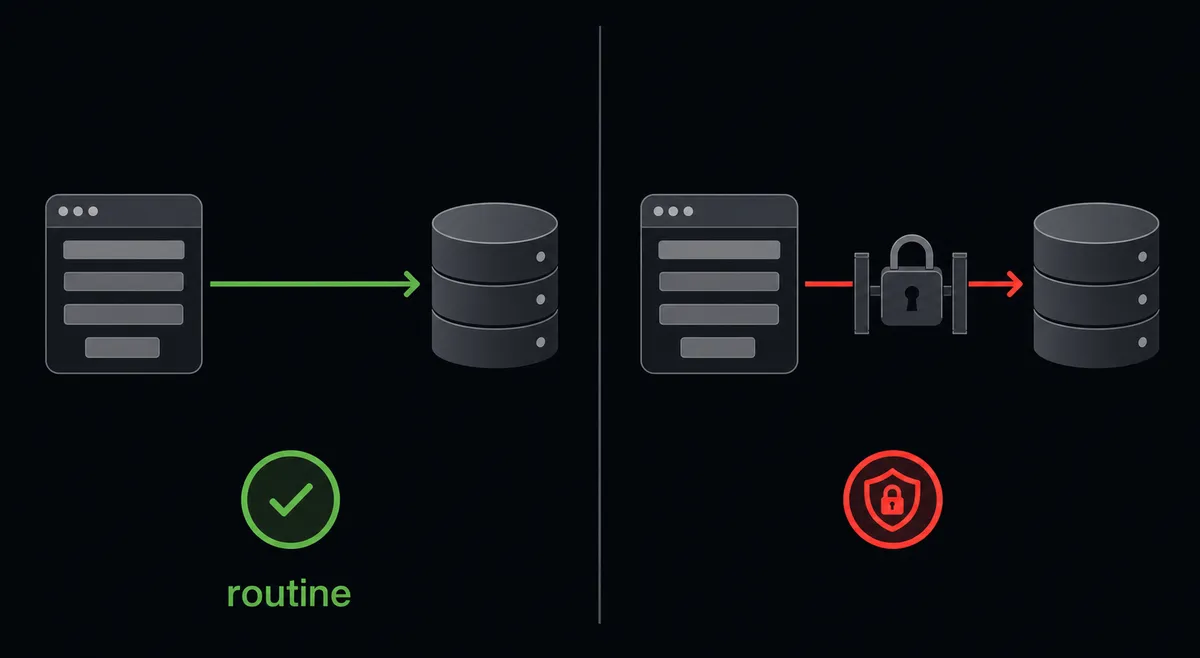
When Get Form Responses returns an answer that includes healthcare details, financial data, or another legally significant response, the agent treats that as a stop, not a formality. It packages the context: who submitted it, what field triggered the flag, a link to the full submission, and sends it to the designated reviewer over Slack: “New intake form submission from [Name] contains information that may require legal/compliance review before processing. View submission here: [link]. Approve forwarding to the next step.” The reviewer approves or holds it. If approved, the agent runs Sync Contact and the rest of the sync-back steps. If held, the response waits, untouched, until a person makes the call.
This is not a hardcoded keyword filter with a fixed threshold. It’s the agent applying judgment to the specific submission in front of it, the same way a careful staff member would glance at an answer and decide whether it needs a second opinion before it goes anywhere. This is not a sync tool. The agent knows when to stop and ask.
FlowRunner vs Zapier
Zapier is genuinely good at what it’s built for: fast, simple point-to-point connections that a non-technical team can set up in an afternoon, and its Typeform and ActiveCampaign integrations both work reliably for basic sync tasks. Where it stops is judgment. A Zapier “Zap” runs the same steps every time; it has no concept of reading a form answer, deciding it’s sensitive, and routing it to a human before continuing.
| Capability | Zapier | FlowRunner |
|---|---|---|
| Human-in-loop on sensitive responses | Not built in; would require a separate manual review step outside the Zap | Native. The agent reads the answer and invokes a human-in-loop flow as a tool |
| Users included | Priced per user on paid plans | Unlimited users on every tier |
| AI provider | Locked into Zapier’s own AI credits and models | BYOK. Connect the AI provider and model you already use |
| Pricing model | Per-task pricing, easy to outgrow without warning | Transparent workflow-based tiers with a clear execution limit |
| Self-hosting | Not available | Available on the Enterprise tier |
Before and after
| What changes | Before | After |
|---|---|---|
| Client intake form | Every new client gets a generic, unbranded form link | Agent creates a personalized form with Create Empty Form as soon as the deal closes |
| Response handling | Staff export Typeform responses and manually create records in ActiveCampaign | Agent detects the response with Get Form Responses and syncs it with Sync Contact and Create Field Value |
| Segmentation | Tags and automation enrollment wait for someone to get to them | Agent tags and enrolls the contact with Add Tag To Contact and Add Contact To Automation in the same run |
| Event registrants | Webinar registrants added to email lists by hand after each registration batch | Each new registrant syncs to ActiveCampaign within the hour of submitting |
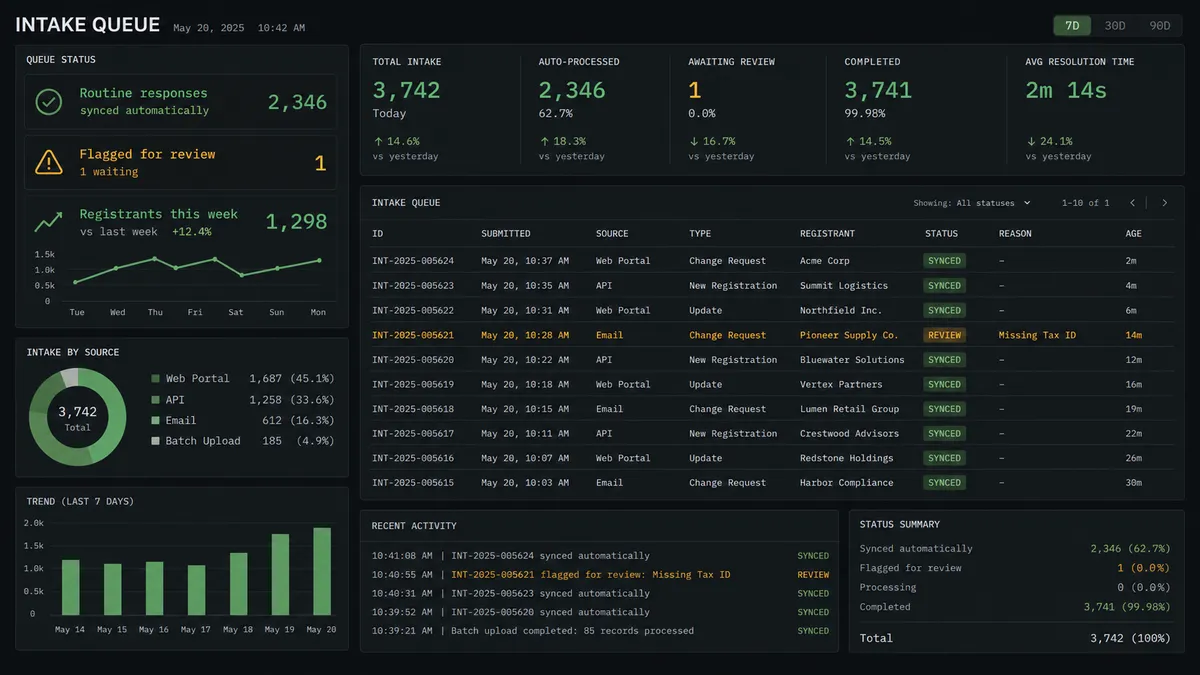
| Sensitive answers | Sensitive responses flow into the CRM with everything else, no review step | Agent holds healthcare or financial answers for compliance review before syncing |
What you can build
Client onboarding, start to finish. A deal reaches “Closed Won” in ActiveCampaign, the agent builds and sends a personalized Typeform intake form, and the response populates the client’s contact record and kicks off the onboarding automation without anyone touching a spreadsheet.
Webinar registration to nurture sequence. New Typeform registrants get synced to ActiveCampaign as they come in, tagged for the specific webinar, and enrolled in a pre-event nurture automation, so the list is current the moment someone signs up.
Multi-language survey intake. The agent uses Auto-Translate Form to deploy the same survey in several languages, and every response, regardless of which version it came from, routes through the same Get Form Responses and Sync Contact path back into ActiveCampaign.
Compliance-aware lead capture. A qualification form asks about company size, budget, and in some industries, licensing or financial details. The agent syncs the routine answers immediately and holds anything touching regulated information for a compliance reviewer first.
Getting started
Connect ActiveCampaign at /integrations/activecampaign and Typeform at /integrations/typeform, then build the flow above in minutes. FlowRunner has a free plan with 100 executions a month, every integration included, and no credit card required, and new accounts get 14 days of Professional on top.
Start free at flowrunner.ai, or book time to walk through your specific intake process at calendly.com/flowrunner/intro.
Frequently asked questions
Is it free to connect ActiveCampaign and Typeform on FlowRunner?
Yes. FlowRunner has a free plan with 100 executions a month, every integration included, and no credit card required, and new accounts get 14 days of Professional on top.
Can I self-host the ActiveCampaign Typeform connection?
Yes, on the Enterprise tier. Cloud tiers (Growth, Professional, Business) run hosted, and self-hosting is available for teams that need it on their own infrastructure.
Does the agent need my own OpenAI key?
FlowRunner uses a bring-your-own-key model for AI providers, so you connect the provider and model you already use rather than being locked into one vendor.
What happens when the agent isn't sure whether a Typeform answer is sensitive?
It treats uncertainty the same way it treats a confirmed sensitive answer: it pauses and routes the submission to a human reviewer rather than guessing and syncing it forward.
Do I still need Zapier or n8n if I already have FlowRunner?
No. FlowRunner connects ActiveCampaign and Typeform directly, and adds the AI agent and human-in-loop layer that Zapier and n8n do not offer natively.
How fast does a Typeform response show up in ActiveCampaign?
The agent polls Get Form Responses and syncs new submissions the same run they're detected, so routine responses land in ActiveCampaign within minutes, not at the end of a batch.