Purchase Request Software
Capture requests with the data finance needs, route them on policy, and hand approved requests to your ERP without rekeying. Humans review exceptions.
A purchase order is a commitment. A purchase request is the moment before the commitment, when someone asks to spend and the organization decides whether they can. That gap is where purchase request software earns its keep, because policy is cheap to enforce on a request and expensive to unwind on a PO that has already gone to a vendor. Get the intake right and the rest of procure-to-pay inherits clean, approved, correctly coded inputs. Get it wrong and every downstream step spends time fixing what the front door let through.
This page is written for the procurement operator who owns that front door, separate from the finance buyer choosing a full procure-to-pay suite. It describes what purchase request software is meant to do, where the work actually gets lost, and how an orchestration layer above your existing systems handles requisition intake without asking your team to move into another application. For the commitment side of the process, the purchase order automation page covers the PO, three-way matching, and the invoice that follows.
What purchase request software is supposed to do
Purchase request software governs intake and requisition: the structured capture of an ask before any order exists. Treat the following as the standard shape of the category across procurement tools and ERP requisition modules, not as a proprietary claim:
- Capture the request with the fields finance actually needs. Vendor, line items, GL coding, business justification, requested delivery date. A free-text email captures none of these consistently.
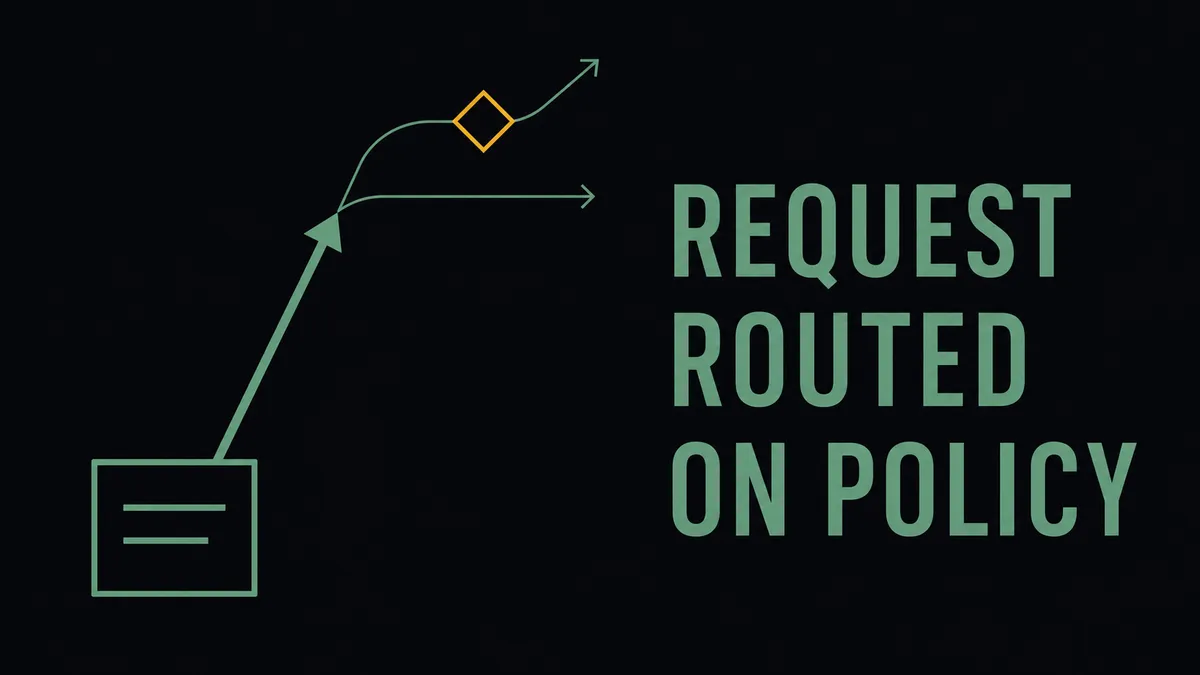
- Route on policy, not by forwarding. Purchase request workflows commonly route on amount thresholds combined with department, GL account, or category, with delegate handling when an approver is out. The routing rule is the product, not the form.
- Give the requester visibility without a ping. The person who submitted the request should see where it sits without messaging the buyer to ask.
- Hand the approved request off cleanly. An approved request becomes a PO or a pending bill in the system of record, ideally without anyone rekeying the line items.
Here is what most purchase request software reviews will not say plainly: the form was never the hard part. Digitizing a requisition form is a solved problem and has been for years. The work that decides whether the tool actually helps is the routing logic underneath the form and the handoff on the other side of approval.
Where the back-and-forth actually lives
The honest before-state is not chaos. Most teams have a requisition process. It runs on email, a shared spreadsheet, and an approval matrix that lives partly in a document and partly in the buyer’s memory. That process works just well enough to avoid a crisis, which is exactly why it persists. The cost is cumulative, and it concentrates in three places:
- Reconstruction. Requests arrive over email, chat, and tickets, so the buyer rebuilds the same fields (vendor, coding, justification) by hand every time before anything can move.
- Routing by memory. When the approval matrix lives in someone’s head, escalations stall when an approver is out and out-of-policy spend slips through because no rule caught it.
- The buyer as help desk. Requesters chase status, which pulls the buyer into answering “where is my request” instead of doing sourcing work. Approval routing, status visibility, and ERP handoff are the parts of the flow where time disappears when the process runs on email and spreadsheets.
None of these is a single catastrophic failure. It is twenty small ones a month, and the buyer absorbs the aggregate.
How FlowRunner approaches purchase requests
FlowRunner is not a standalone requisition application that re-hosts your vendor list in a new database. It is an orchestration layer that runs the intake-to-handoff path across the systems you already trust. A structured intake captures the fields finance requires, with conditional logic for capex, software, or contracted spend. Routing rules then run on amount thresholds, department, GL account, or vendor attributes, and escalate to a delegate when an approver is unavailable.
The request is the front door of procure-to-pay, and no requisition form owns the layer behind it: the routing decisions, the status updates, the clean write into the ERP, and the audit record that ties them together. That layer is a category of its own, orchestration as a service, a system above the systems of record that listens for an inbound request, gathers the coding and policy context the form did not carry, and pulls a human in only when judgment is required. FlowRunner is built for that layer.
Status posts back to the requester in the channel they already use, so the buyer stops being the status desk. Approved requests are pushed into the ERP or AP system as a PO or pending bill, with the original request preserved as the audit trail. Out-of-policy and ambiguous requests do not get auto-approved; the flow pauses and asks a named reviewer in Slack, with the full request context attached, then resumes once the human decides. The routing design questions this raises are covered in the PO approval workflow explainer, which applies directly to request-stage approvals.
How it works
- Trigger: a request arrives through an intake form, a shared mailbox, or a chat submission, and the flow structures it into the fields finance requires.
- Agent action: routing rules evaluate amount, department, GL account, and vendor attributes, post status back to the requester, and on approval write a PO or pending bill into the ERP without rekeying.
- Human in the loop: out-of-policy, over-threshold, or ambiguous requests pause and route to a named approver with full context, and the request record captures who approved, when, and on what version.
The systems a request flows through
Intake touches fewer systems than matching does, so the handoff is the part worth getting right:
- ERP and accounting: NetSuite, Acumatica, and QuickBooks Online, where an approved request becomes a PO or pending bill. The reference patterns for automating the bill lifecycle in Acumatica and processing documents into NetSuite show the downstream leg the approved request feeds.
- Approval and status channel: Slack, where approvers act and requesters see status without logging into another tool.
- Vendor document intake: Parseur, so the invoice that follows an approved request can be parsed from email and posted, with a human review point on exceptions. The email-to-payment workflow and the Acumatica intake pattern with duplicate checks show that path end to end.
- Contracts: DocuSign, so a request tied to a master agreement or renewal surfaces the existing contract rather than starting a duplicate.
What you get
- Requests captured once, in the structure finance needs, instead of reconstructed from email by the buyer.
- Routing that runs on policy every time, with escalation when an approver is out, so out-of-policy spend gets caught at intake rather than at invoice.
- Approved requests written into the ERP without rekeying, which removes the coding errors that otherwise surface during three-way matching.
- A request record that preserves who approved what, when, and on which version, as the audit trail finance asks for first in a controls review.
What to evaluate before you pick a tool
Adoption is what makes a request tool work, so weigh these before the feature checklist:
- Routing depth. Can rules combine amount thresholds with department, category, vendor, and delegate logic, or is it a single linear threshold ladder?
- The handoff. Does the tool write the approved request into the ERP and AP systems you already pay for, or does it ask you to make a new app the system of record?
- The requester path. Is there a clear way to submit and a clear view of status? A tool nobody adopts produces no governance, regardless of its routing engine.
- Exception handling. How does it treat rejections, partial approvals, and requests that need a human conversation before they can proceed? Pausing for a named reviewer beats auto-approving and reconstructing the trail later.
Request intake is the front of procure-to-pay, and its value compounds when it connects cleanly to PO creation, receiving, and matching. The broader coordination across those steps is covered on the procurement automation page, and the framework for deciding what is worth automating handles the sequencing as a financial question rather than a gut call. The fastest way to evaluate the intake-to-handoff path is against your real approval matrix and a sample of recent requests, not a generic walkthrough.
See how this would work on your stack
A 30-minute walkthrough against your actual setup, or a quick message to scope the fit. No slides, no signup.