How to Connect Xero with Capsule CRM (With or Without an AI Agent)
Connect Xero payments, invoices, and credit notes to Capsule CRM opportunities and tasks, optionally as an AI agent that updates the pipeline automatically and pauses for a human before a permanent record merge or a credit hold.
How do you connect Xero to Capsule CRM?
You connect Xero to Capsule CRM by letting accounting events drive the pipeline: Xero’s On New Payment Received trigger fires when money lands against an invoice, the workflow pulls the details with Get Payment and Get Invoice, finds the customer in Capsule CRM with Search Parties, moves the deal with Update Opportunity, and queues the follow-up with Create Task. FlowRunner is a visual AI-agent orchestration platform where automations run autonomously and pause for human judgment on the steps that carry real consequence. Run the same connection as an AI agent and it also reads context: it decides which party a payment belongs to, updates the right opportunity on its own, and pauses for a named human before anything permanent touches a record, such as a Delete Party merge or a credit hold note on an account a rep is actively working.
The problem it solves
Sales lives in Capsule CRM. Finance lives in Xero. The deal gets marked won, the invoice goes out, and from that moment the two systems stop talking. An account manager wants to start onboarding but does not know if the deposit cleared, so they message finance, and finance replies with a screenshot. Meanwhile a credit note went out last week, and the rep who owns that account found out on the renewal call. Every week someone exports a payments list and eyeballs it against the pipeline, and every week something slips between the two tabs.
The edges are where it hurts. A payment arrives from a company name that does not quite match any Capsule CRM party, so it never gets logged against the deal. The same customer exists twice, once from a webform and once from an imported spreadsheet, and half the billing history hangs off each copy. An account slides sixty days past due while the pipeline still shows an expansion opportunity in the proposal stage. None of this is a report problem. It is a wiring problem between the system that knows the money and the system that knows the relationship.
How it works: the connection
The connection listens to Xero and writes to Capsule CRM. Here is the plain version, grounded in the real connector actions.
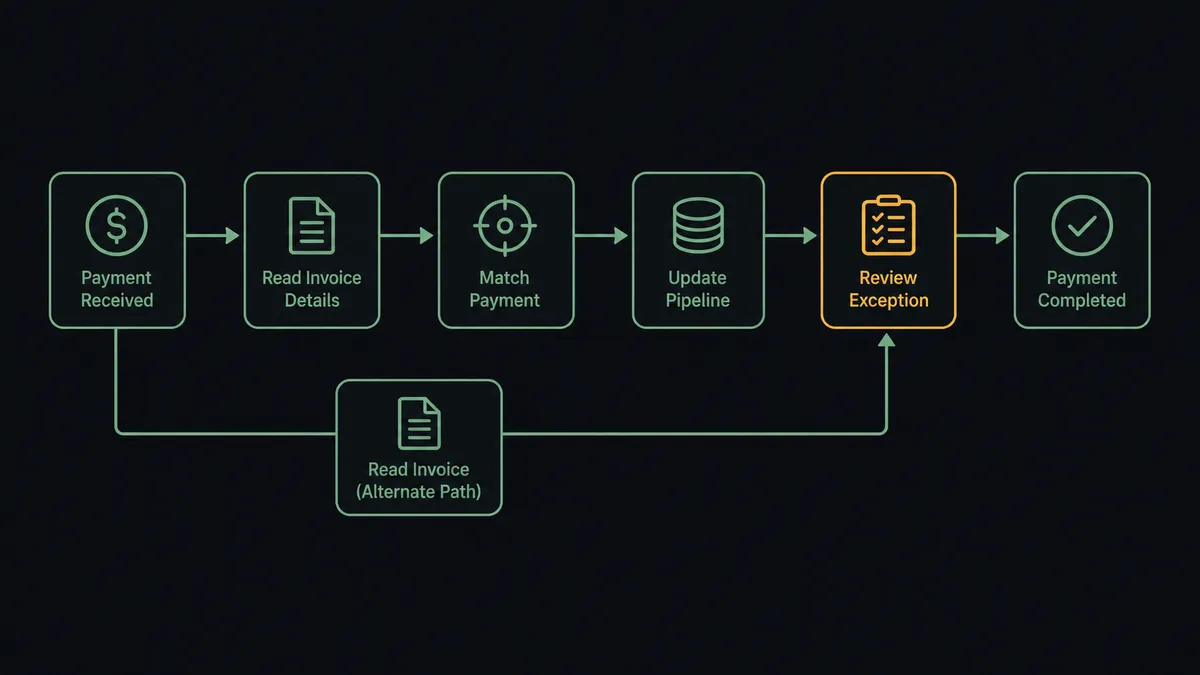
- Trigger: Xero fires On New Payment Received the moment a payment is recorded against an invoice.
- Read: The workflow calls Get Payment and Get Invoice to pull the amount, the invoice reference, and the Xero contact behind it.
- Match the customer: It calls Search Parties in Capsule CRM with the contact’s name and email to find the person or organisation.
- Update the deal: It calls Update Opportunity to move the opportunity to the right milestone and stamp the payment reference into the description.
- Queue the follow-up: It calls Create Task linked to the party, due the next business day, so the account owner kicks off onboarding while the payment is fresh.
- Billing visibility path: In parallel, On Invoice Created fires when finance raises an invoice, and the workflow writes the billed status to the opportunity with Update Opportunity so reps never have to ask.
That is the “just connect them” answer. Payments become pipeline movement, invoices become visible to the people selling, and nobody forwards screenshots. A credit event runs the same way: On Credit Note Created fires, and the workflow creates a task for the account owner before the customer brings it up first.
Can an AI agent run it? (and why a human stays in the loop)
Yes, and this is where the connection stops being a copy machine. An AI agent holds the real actions as tools: Search Parties, Get Party, Update Opportunity, Update Party, Create Task, and Delete Party on the Capsule CRM side, plus Get Invoice, Get Contact, and Get Aged Receivables on the Xero side. It reads each event and picks the tools the situation calls for. A clean payment from a known customer flows straight through. A payment from “Acme Holdings Pty” when the pipeline says “Acme Holdings” gets a closer look before anything is written.
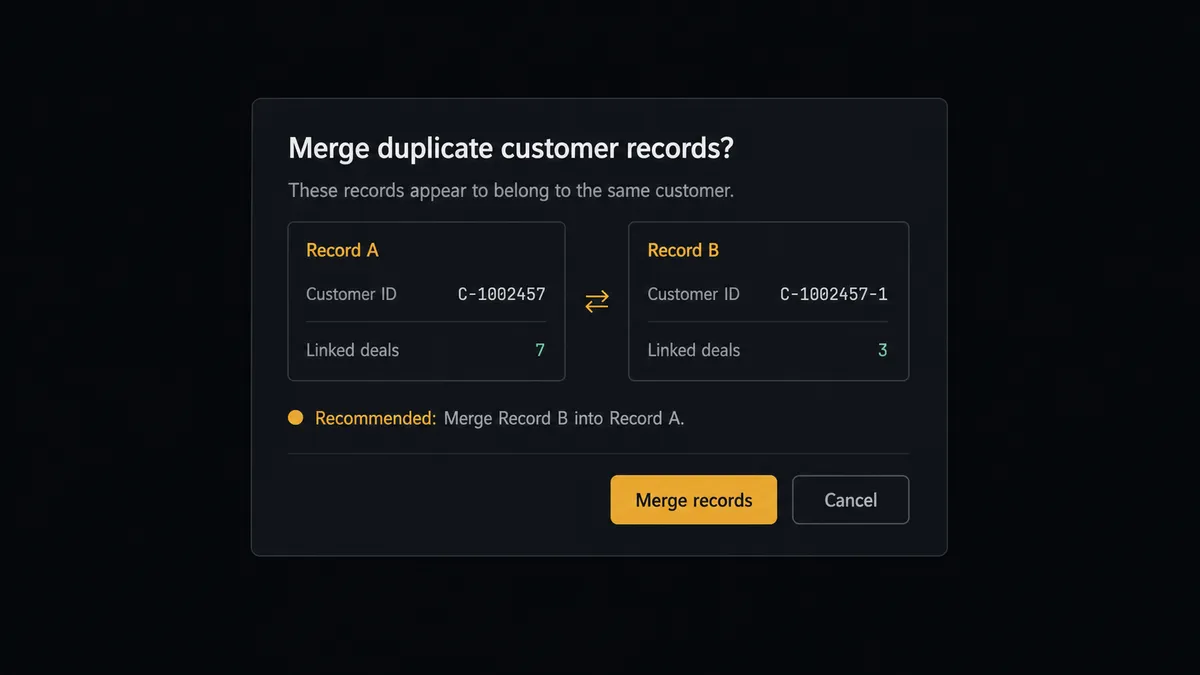
The consequential steps here are the permanent ones. Delete Party does not archive a record, it permanently removes the person or organisation and its association with every opportunity, case, and task. So when the agent finds the same customer twice, it does not act. It assembles both records and its recommendation, then invokes a human-in-loop flow it holds as a callable tool. The workflow pauses and posts to your team channel: “Xero contact Acme Holdings matches two Capsule CRM parties. Recommend keeping the record with the open opportunity and deleting the duplicate. Deleting removes its task and case links permanently. Approve the merge?” One click, and only then does Delete Party run. The same gate sits in front of a credit hold: when Get Aged Receivables shows an active account sliding past due, a person approves the hold note before Update Party writes it onto a record a rep is selling against.
Prospects call this a digital andon cord. Like the cord on a Toyota line, the workflow stops itself the moment it hits uncertainty, a person makes the call, and the line moves again. The agent handles the volume; your team keeps the judgment.
FlowRunner vs Zapier
Most teams connecting Xero to Capsule CRM look at Zapier first, and the instinct is sound. Zapier has one of the largest connector libraries anywhere, a huge template gallery, and a setup flow a non-technical person can finish in an afternoon. For a one-way “new payment creates a task” Zap, it is quick to stand up and it works.
The difference shows up at the steps that carry consequence. FlowRunner is built around an agent that reasons about each event and pauses for a person before permanent writes, rather than a fixed step sequence.
| What matters for this pair | FlowRunner | Zapier |
|---|---|---|
| Human-in-the-loop on Delete Party merges and credit holds | Native. The agent invokes an approval flow as a callable tool and pauses before the write | Available via added approval steps, not a native agent decision |
| Who runs the flow | An AI agent reads the event, reasons, picks actions as tools | Predefined step sequence you configure per Zap |
| Users included | Unlimited users on every tier | Priced by task volume; seats vary by plan |
| Bring your own AI keys | Yes, BYOK. Connect the provider key you already have | AI features tied to Zapier’s own AI offering |
| Self-hosted option | Yes, cloud-hosted or self-hosted | Cloud only |
| Pricing model | Transparent workflow-based tiers with clear execution limits | Per-task pricing that gets harder to predict as volume grows |
If all you need is a one-way payment-to-task push, Zapier will do it. If you want billing reality flowing into the pipeline with a named human on every merge and hold, that is where FlowRunner is the better fit.
Before and after
| Category | Before | After |
|---|---|---|
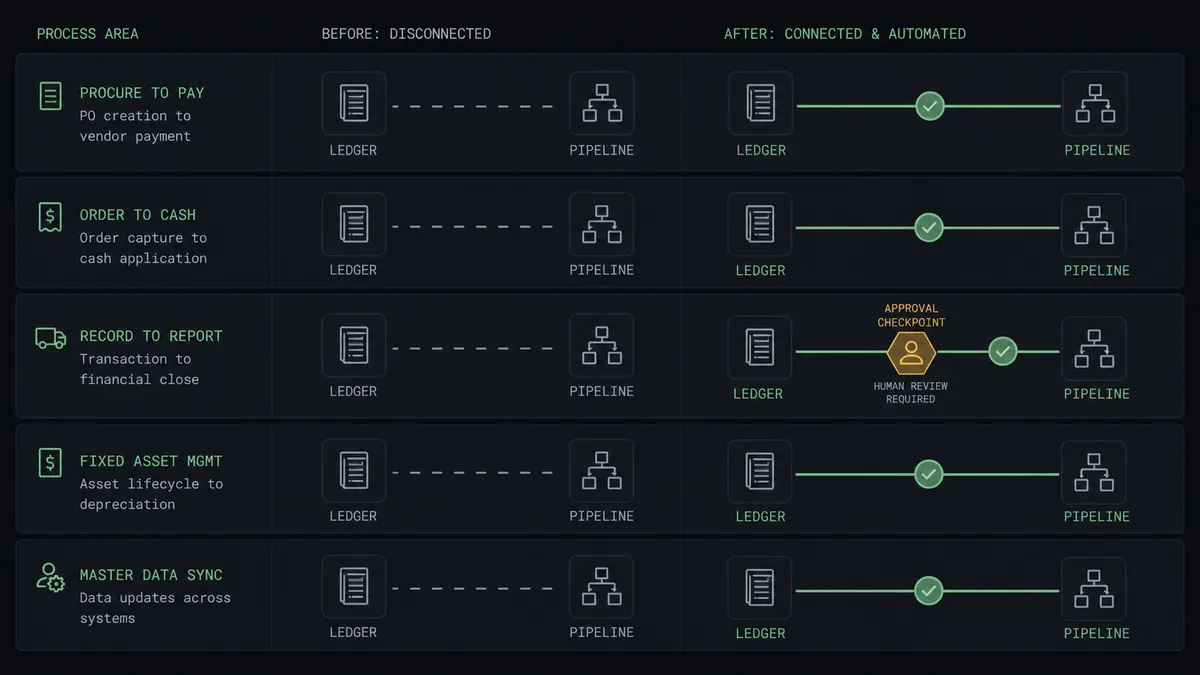
| Payment visibility | Reps message finance to ask if a deposit cleared; finance replies with screenshots | Update Opportunity stamps the payment into the deal minutes after Xero records it |
| Onboarding kickoff | Kickoff waits until someone notices the payment during the weekly export review | Create Task queues the account owner the same day the money lands |
| Duplicate records | Two copies of the same customer accumulate separate billing histories for months | Duplicates are surfaced with full context and merged only after a named approver signs off |
| Credit exposure | An account slides past due while the pipeline still shows an active expansion deal | Aged receivables checks flag the account and a person approves the hold before the next call |
| Credit notes | The rep learns about a credit note from the customer on the renewal call | On Credit Note Created queues a task for the account owner before the customer mentions it |
What you can build
Payment to pipeline, hands off. On New Payment Received fires. The agent calls Get Payment and Get Invoice, matches the customer with Search Parties, moves the deal with Update Opportunity, and queues onboarding with Create Task. The pipeline reflects the books without anyone exporting anything.
Aged receivables watchlist. On a weekly schedule the agent calls Get Aged Receivables in Xero, cross-references overdue accounts against open deals with Search Parties and Get Opportunity, and flags the collisions. A person approves each credit hold note before Update Party writes it.
Duplicate cleanup with named approval. The agent walks recent records with List Parties, compares them against Xero with Find Contacts, and proposes merges where the same customer exists twice. Delete Party runs only after a human approves each one, and every deletion carries an approver and a timestamp.
New customer in the books, new record in the CRM. On Contact Created fires when finance sets up a new Xero contact. The agent checks Search Parties for an existing match, then calls Create Organisation or Create Person so the CRM never lags the ledger.
Credit note early warning. On Credit Note Created fires. The agent pulls the details with Get Credit Note, finds the account with Search Parties, and calls Create Task for the account owner with the amount and reason, so the next customer conversation starts informed.
Common questions
Is it free to connect Xero and Capsule CRM on FlowRunner? You can build and run the connection on FlowRunner’s free plan, which includes 100 executions a month and every integration with no credit card required, and new accounts also get 14 days of Professional. Both connectors are available on every FlowRunner tier, and every tier includes unlimited users and unlimited workflows.
Can I self-host the Xero to Capsule CRM workflow? Yes. FlowRunner offers a cloud-hosted option and a self-hosted option, so the connection can run inside your own environment.
Does the AI agent need my own OpenAI or Claude key? FlowRunner uses a bring-your-own-keys model, so you connect the AI provider key you already have. You are not locked to one model.
What happens when the agent cannot match a Xero contact to a Capsule CRM party? The agent stops and invokes a human-in-loop step. It posts the Xero contact name, the payment or invoice details, and the closest Capsule CRM candidates from Search Parties to your team’s channel, then waits for a person to pick the right record or approve creating a new one before it writes anything.
Which Xero events can trigger a Capsule CRM action? Xero offers eight triggers: On Contact Created, On Contact Updated, On Credit Note Created, On Credit Note Updated, On Invoice Created, On Invoice Updated, On New Bank Transaction, and On New Payment Received. On New Payment Received and On Invoice Created are the two most teams start with for pipeline sync.
Can the workflow delete duplicate records in Capsule CRM automatically? No, and that is deliberate. Delete Party permanently removes a person or organisation and its association with opportunities, cases, and tasks. The agent proposes the merge with full context, and Delete Party only runs after a named approver signs off. The approval is captured in the audit trail.
Getting started
Start on the free plan: 100 executions a month, every integration included, no credit card required, plus 14 days of Professional for new accounts. Both connectors are available on every tier, and every tier includes unlimited users and unlimited workflows.
Explore the integration details:
- Xero integration (8 triggers and 38 actions across invoices, payments, contacts, and reports)
- Capsule CRM integration (31 actions covering parties, opportunities, cases, and tasks)
Start building free at flowrunner.ai or book a demo to see a live Xero to Capsule CRM workflow, merge approval and all.
Frequently asked questions
Is it free to connect Xero and Capsule CRM on FlowRunner?
You can build and run the connection on FlowRunner's free plan, which includes 100 executions a month and every integration with no credit card required, and new accounts also get 14 days of Professional. Both connectors are available on every FlowRunner tier, and every tier includes unlimited users and unlimited workflows.
Can I self-host the Xero to Capsule CRM workflow?
Yes. FlowRunner offers a cloud-hosted option and a self-hosted option, so the connection can run inside your own environment.
Does the AI agent need my own OpenAI or Claude key?
FlowRunner uses a bring-your-own-keys model, so you connect the AI provider key you already have. You are not locked to one model.
What happens when the agent cannot match a Xero contact to a Capsule CRM party?
The agent stops and invokes a human-in-loop step. It posts the Xero contact name, the payment or invoice details, and the closest Capsule CRM candidates from Search Parties to your team's channel, then waits for a person to pick the right record or approve creating a new one before it writes anything.
Which Xero events can trigger a Capsule CRM action?
Xero offers eight triggers: On Contact Created, On Contact Updated, On Credit Note Created, On Credit Note Updated, On Invoice Created, On Invoice Updated, On New Bank Transaction, and On New Payment Received. On New Payment Received and On Invoice Created are the two most teams start with for pipeline sync.
Can the workflow delete duplicate records in Capsule CRM automatically?
No, and that is deliberate. Delete Party permanently removes a person or organisation and its association with opportunities, cases, and tasks. The agent proposes the merge with full context, and Delete Party only runs after a named approver signs off. The approval is captured in the audit trail.