Freshdesk + Google Sheets: Every Urgent Ticket Tracked
Connect Freshdesk and Google Sheets so urgent tickets land in a live triage sheet automatically, with a human approving any reply before it reaches a customer.
How do you connect Freshdesk to Google Sheets?
Connecting Freshdesk to Google Sheets means running Search Tickets against your open Freshdesk queue on a schedule and writing each matching ticket into a tracking sheet with Add Row, so the sheet becomes a live triage dashboard instead of something a person rebuilds every morning. FlowRunner is a visual AI-agent orchestration platform where automations run autonomously and pause for human judgment on the steps that carry real consequence. The same connection can run as an AI agent that also drafts customer replies inside Freshdesk, then pauses and routes the draft to a support agent for approval before anything reaches a customer.
The problem it solves
A support lead starts most mornings the same way: open Freshdesk, filter for urgent and open tickets, and manually copy the list into a spreadsheet so the team has something to work from in standup. It’s a ten-minute task that has to happen every day, and it slips when the lead is in back-to-back meetings or out sick. Meanwhile, the tickets that actually need a careful reply, a billing dispute, an account-specific question, a complaint, get answered by whoever picks them up first, with no second set of eyes before the response goes out.
The spreadsheet itself becomes the bottleneck. It’s accurate the moment it’s built and stale an hour later, because nothing in Freshdesk pushes updates into it. A ticket that should have escalated an hour ago sits unnoticed until someone happens to refresh the queue. The team isn’t short on effort, they’re short on a system that keeps the tracking sheet current and only asks a human to weigh in on the replies that need a person’s judgment.
How it works: the connection
The flow starts on a schedule, or from whatever system first receives the request, since Freshdesk does not expose a public trigger API of its own; webhooks in Freshdesk are configured as admin-UI automation rules, not something a flow can subscribe to directly. On the cadence you set, the agent runs Search Tickets using the Freshdesk query language, for example a filter for priority:4 AND status:2 to pull every urgent, open ticket. For any ticket where the requester isn’t already resolved, the agent calls Search Contacts to find or confirm the customer record.
Each matching ticket is written into the tracking sheet with Add Row, mapped to your column headers through Load Header Row so subject, priority, requester, and status land in the right place without a manual paste. Add Rows handles the batch case when the sweep returns a larger set in one pass. The sheet stays current because the agent is running the sweep, not because someone remembered to refresh it.
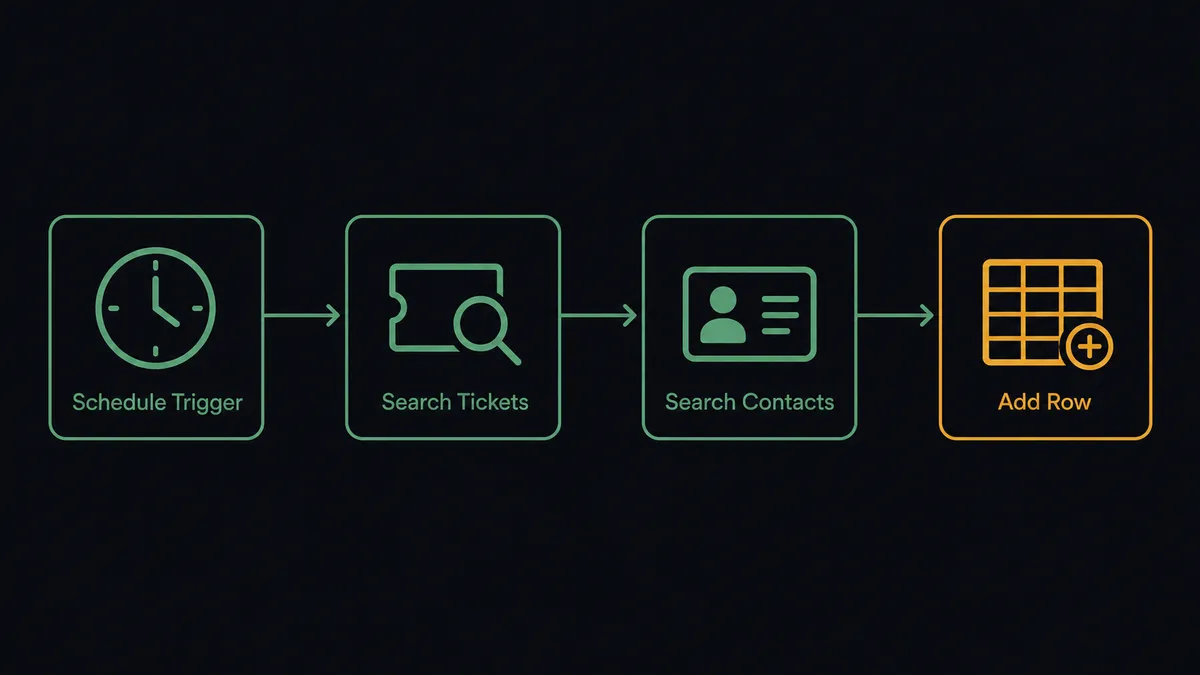
For tickets that also need a reply, the same flow branches: the agent drafts the response as an internal note with Add Note, visible only to agents, and holds it there rather than sending it.
Can an AI agent run it? (and why a human stays in the loop)
Yes, and this is where FlowRunner moves past a sync tool. The agent doesn’t just move data between two systems on a fixed rule; it reads each ticket, decides whether it needs a customer-facing reply or just routine tracking, and picks the actions to run based on that judgment. A ticket asking for a password reset gets logged and closed out on its own. A ticket disputing a charge, or one from a customer with a history of escalations, gets treated differently, not because a threshold was hardcoded, but because the agent read the content and decided it carries weight.
When the agent decides a reply needs a person, it packages the ticket, the requester’s history, and the drafted wording, and sends it to a support agent through Slack or email as a human-in-the-loop step: here’s the ticket, here’s who’s asking, here’s what I’d say, approve or edit before I send it. The workflow pauses at that point. Nothing goes to the customer until someone responds. On approval, the agent sends the reply with Add Reply. On an edit or a hold, nothing reaches the requester, and the decision, the decider, and the timestamp are captured in the audit trail.
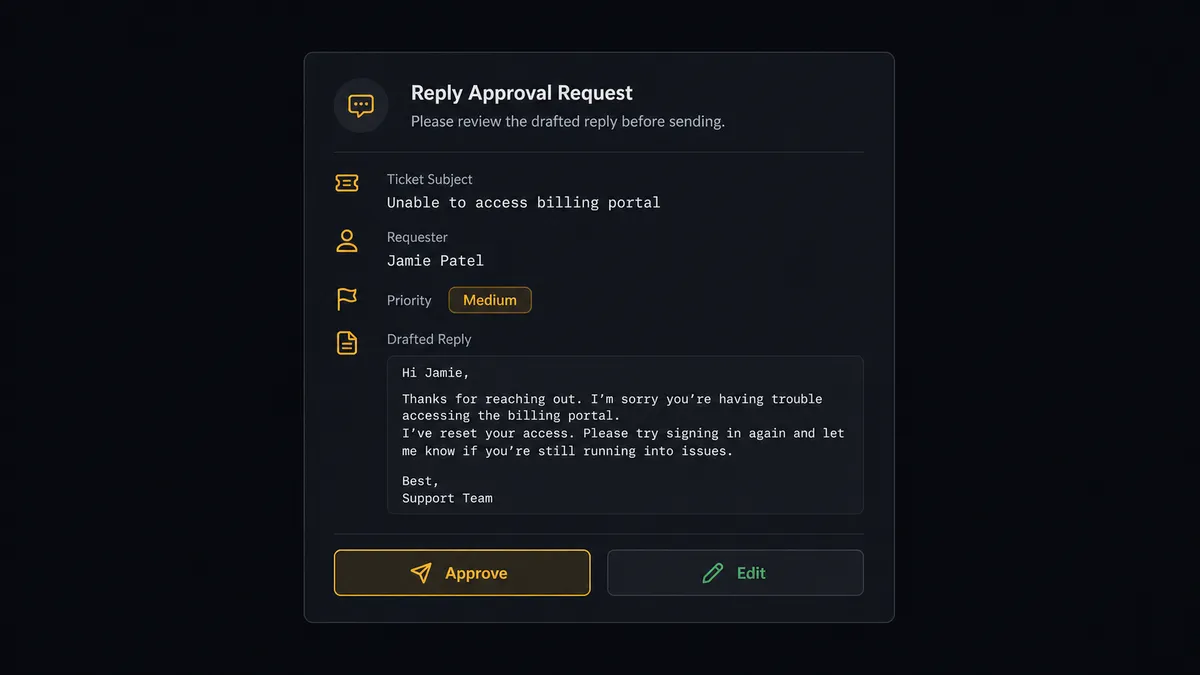
This is not a sync tool. The agent knows when to stop and ask. It’s the same andon-cord idea from the shop floor: the system keeps moving on its own until it hits something that shouldn’t be decided by a rule, and then it pulls the cord and waits for a person.
FlowRunner vs Zapier
Zapier is a reasonable choice for a simple Freshdesk-to-Sheets sync, and its Freshdesk and Google Sheets apps are well documented and easy for a non-technical team to wire together in a single Zap. Where it stops is judgment: a Zap moves data on a fixed trigger-action rule, it doesn’t read a ticket and decide whether the reply needs a second look before anything gets sent.
| FlowRunner | Zapier | |
|---|---|---|
| Human oversight on the reply | Native. The agent drafts and routes it to a person before Add Reply sends | Not built in. A Zap sends what the automation is told to send, or nothing sends at all |
| Decision logic | The agent reads each ticket and decides what needs a reply, based on context, not a fixed rule | Rule-based; every path has to be defined as an explicit condition ahead of time |
| Users included | Unlimited on every tier | Priced per user on team plans |
| AI provider | Bring your own key to the provider you already use | Built-in AI steps run on Zapier’s own metering |
| Pricing model | Transparent workflow-based execution tiers | Per-task pricing that gets harder to predict as volume grows |
Before and after
| What changes | Before | After |
|---|---|---|
| Ticket intake | Someone retypes each inbound request into Freshdesk one at a time | Create Ticket lands the request with priority and group already set |
| Requester lookup | An agent searches for the contact before they can open the ticket | Search Contacts finds or creates the requester before the ticket opens |
| Triage visibility | A lead builds today’s urgent-ticket list by hand before standup | Search Tickets and Add Row keep the triage sheet current on a schedule |
| Customer replies | An automated reply can reach the customer with no human check | The agent drafts the reply and a support agent approves it before it sends |
| Malformed rows | A bad row sits in the sheet until someone happens to notice it | Rows that fail validation are flagged and routed to the owner to fix |
What you can build
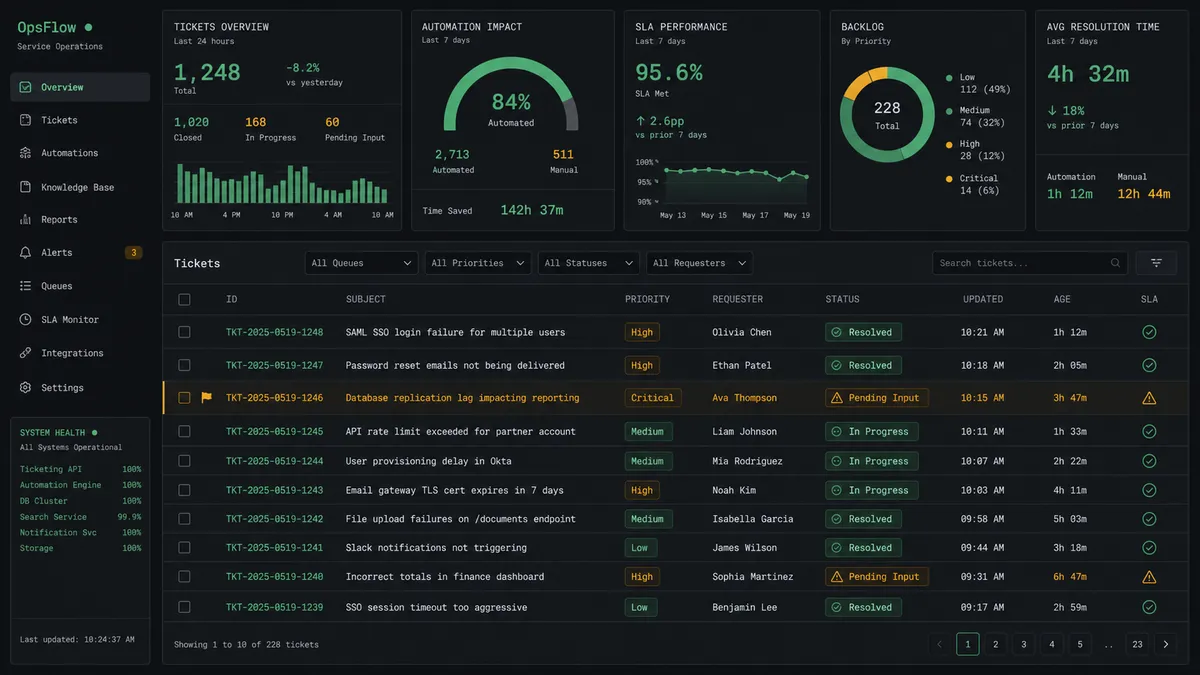
A live urgent-ticket dashboard. Search Tickets sweeps the open queue on a schedule, Add Row keeps a tracking sheet current, and the team walks into standup with the real list instead of a screenshot from an hour ago.
Reviewed replies on sensitive tickets. The agent drafts a response with Add Note, routes it through Slack for approval, and only sends it with Add Reply once a support agent signs off.
A customer record that exists before the first ticket. Search Contacts and Create Company link the requester to their company by domain, so support has context the moment a new ticket lands.
Weekly reporting without the manual export. Export Sheet turns the triage tab into an Excel file on a schedule, and the file goes straight to the report distribution list without anyone opening the spreadsheet.

Common questions
Is it free to connect Freshdesk and Google Sheets on FlowRunner? FlowRunner has a free plan with 100 executions a month, every integration included, and no credit card required, and new accounts get 14 days of Professional on top. After the trial, Growth runs $45 a month for 12,000 executions, with unlimited users and workflows included.
Do I need a Freshdesk webhook to trigger this flow? No. Freshdesk does not expose a public webhook management API, so the flow starts from a schedule or from the system where the request first arrives, then pulls matching tickets with Search Tickets. You are not blocked on Freshdesk admin-UI automation rules.
Can an AI agent send a Freshdesk reply to a customer without review? Not for the customer-facing reply. The agent can draft and file internal notes on its own with Add Note, but a support agent approves the wording before Add Reply sends anything to the requester.
Does the agent need my own OpenAI key? Yes, FlowRunner runs on a bring-your-own-key model. You connect the AI provider you already use, and the agent runs on your key and your account, not a shared pool.
What happens when the agent finds a row it can’t process? The agent holds the row instead of pushing it downstream, marks it in the sheet, and routes it to the data owner through Slack with the specific field that’s missing. The owner fixes or skips it, and only approved rows get reprocessed.
Getting started
FlowRunner has a free plan with 100 executions a month, every integration included, and no credit card required, and new accounts get 14 days of Professional on top. Start at flowrunner.ai or book time with the team at calendly.com/flowrunner/intro to see the human-in-loop step running on your own tickets.
Frequently asked questions
Is it free to connect Freshdesk and Google Sheets on FlowRunner?
FlowRunner has a free plan with 100 executions a month, every integration included, and no credit card required, and new accounts get 14 days of Professional on top. After the trial, Growth runs $45 a month for 12,000 executions, with unlimited users and workflows included.
Do I need a Freshdesk webhook to trigger this flow?
No. Freshdesk does not expose a public webhook management API, so the flow starts from a schedule or from the system where the request first arrives, then pulls matching tickets with Search Tickets. You are not blocked on Freshdesk admin-UI automation rules.
Can an AI agent send a Freshdesk reply to a customer without review?
Not for the customer-facing reply. The agent can draft and file internal notes on its own with Add Note, but a support agent approves the wording before Add Reply sends anything to the requester.
Does the agent need my own OpenAI key?
Yes, FlowRunner runs on a bring-your-own-key model. You connect the AI provider you already use, and the agent runs on your key and your account, not a shared pool.
What happens when the agent finds a row it can't process?
The agent holds the row instead of pushing it downstream, marks it in the sheet, and routes it to the data owner through Slack with the specific field that's missing. The owner fixes or skips it, and only approved rows get reprocessed.