Constant Contact Eventbrite Integration: Attendees to Subscribers
Connect Constant Contact and Eventbrite so every event attendee becomes a subscriber automatically, with an AI agent that pauses for a human before the campaign sends.
How do you connect Constant Contact to Eventbrite?
FlowRunner reads new Eventbrite registrants with List Attendees, then upserts each one into Constant Contact with Create or Update Contact, adding them to the event’s follow-up list so every attendee becomes a subscriber without anyone exporting a spreadsheet. FlowRunner is a visual AI-agent orchestration platform where automations run autonomously and pause for human judgment on the steps that carry real consequence. The same connection can run as an AI agent that also assembles and sends the follow-up campaign in Constant Contact, with a person confirming the test email before Schedule Campaign locks in the send.
The problem it solves
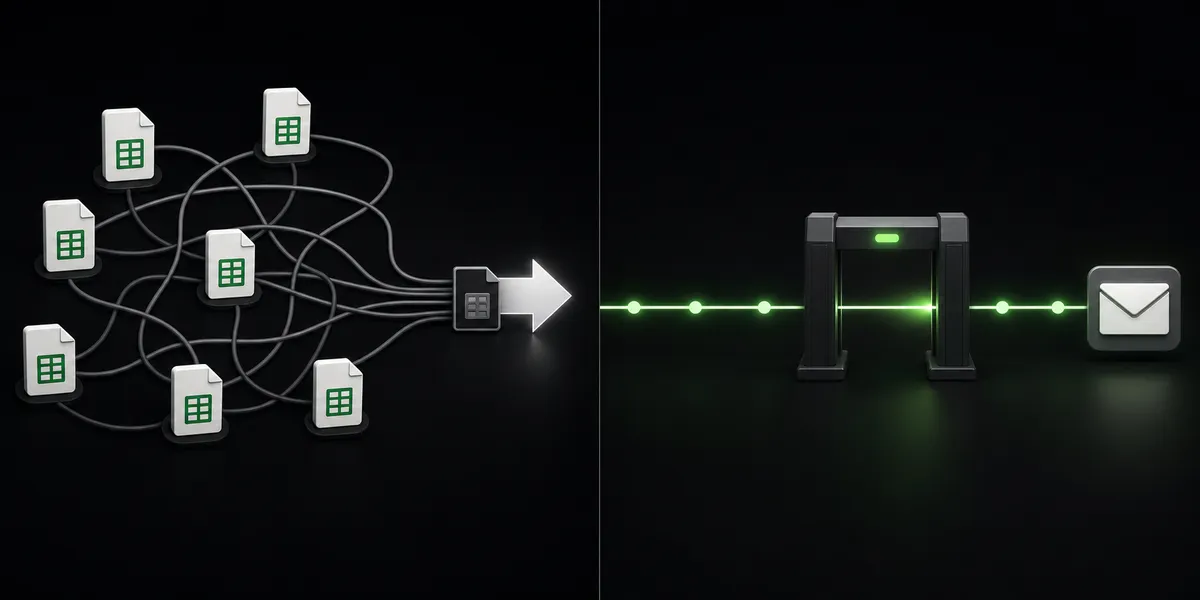
An event coordinator builds a webinar or in-person event in Eventbrite, and for a while that’s the whole job: set the ticket classes, attach a venue, watch registrations come in. Then the event closes and the marketing manager has to turn attendees into a follow-up audience. That usually means exporting an attendee CSV, deduplicating it against the existing subscriber list by hand, uploading it to Constant Contact, and hoping nobody who registered twice gets two welcome emails. If the event ran weeks ago, half the list has gone stale before anyone gets to it.
The exceptions are what actually cost time. A registrant whose email bounced gets missed. A last-minute rush of signups the day before the event never makes it into the campaign because the export already ran. The team that manages multiple events a month ends up with a spreadsheet folder instead of a system, and the marketing manager can’t say with confidence whether last quarter’s attendees ever heard from the company again. None of this is a skills problem. It’s a process that depends on someone remembering to run an export, every single time, with no room for it to fall through the cracks.
How it works: the connection
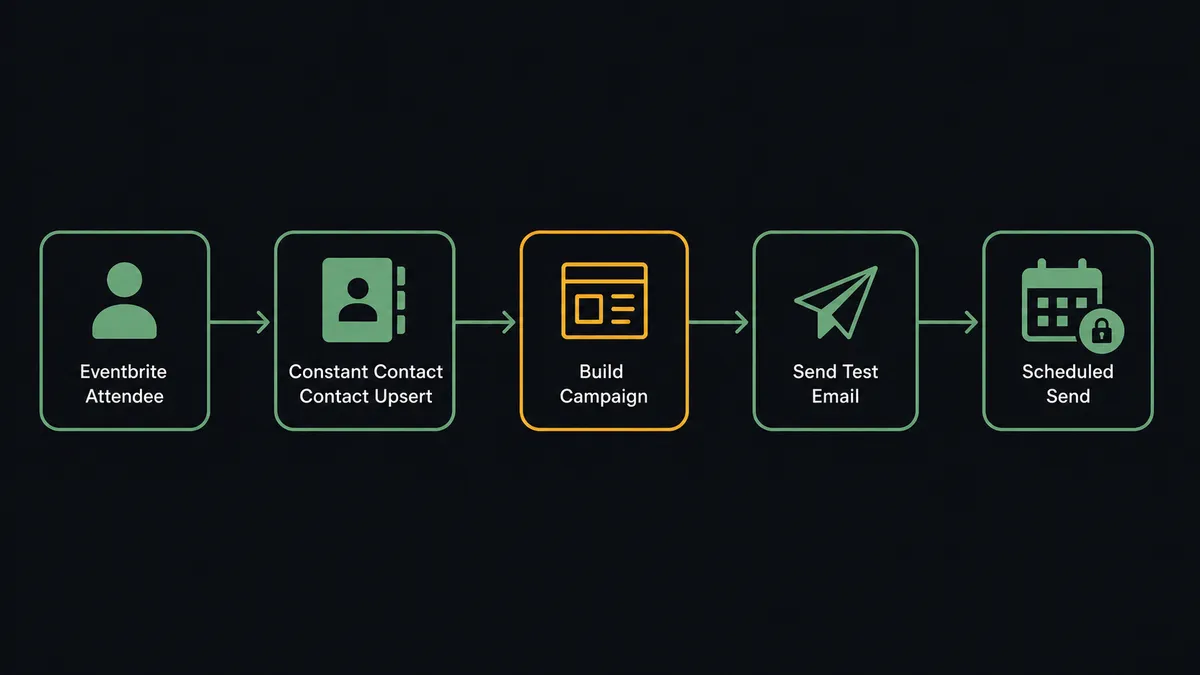
FlowRunner polls List Attendees for the event on a schedule. For each attendee, Create or Update Contact upserts by email address, sets a custom field recording which event they came from, and adds them to that event’s list in Constant Contact. Existing subscribers get updated in place; only genuinely new registrants create a fresh contact record. The same schedule can call List Orders to log ticket purchases into a sales-tracking system, so revenue reporting and subscriber sync run off the same read.
Once the list has enough registrants, or the event has closed, the flow builds the follow-up campaign. Create Campaign assembles the HTML email from a verified sender, and Update Campaign Activity sets the subject, preheader, and recipient lists, pointing at the segment the sync just built. Send Test Email delivers the rendered campaign to the marketing team’s real inboxes, because reviewing copy in a document and reading it in an inbox catch different mistakes. Only after that review does Schedule Campaign run, and Get Campaign Schedules confirms the send actually took instead of silently staying in draft.
Can an AI agent run it? (and why a human stays in the loop)
A simple sync tool moves data on a fixed path: attendee registers, contact gets created, that’s it. An AI agent reads the situation and decides what the data means before it acts. Given instructions to build the follow-up campaign, the agent pulls the synced list, drafts recipients, and prepares the send, choosing which Constant Contact actions to call and in what order based on what it finds, not a hardcoded script.
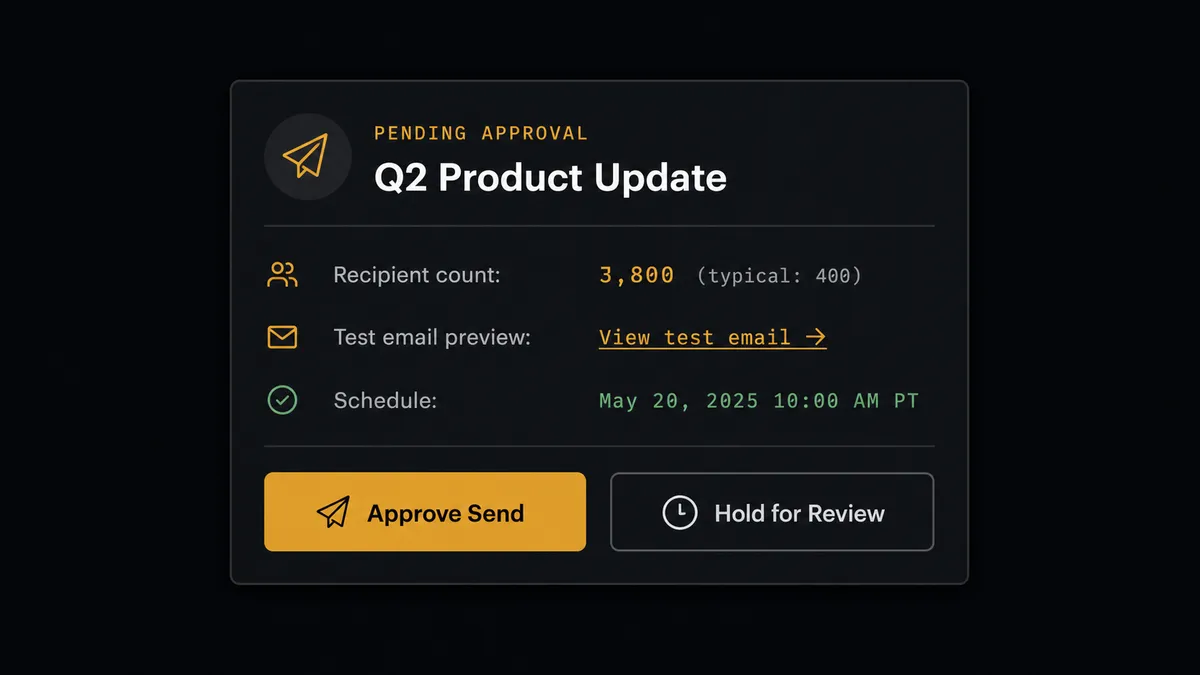
Here’s the decision moment that matters. Say an event that usually draws 400 registrants goes viral and pulls in 3,800 attendees overnight. The agent notices the recipient count on this campaign is nearly ten times the list’s typical size before it schedules anything. That’s not a threshold someone configured; it’s the agent comparing the current send against the list’s own history and recognizing the anomaly. Instead of proceeding, it invokes a human-in-loop flow as a tool: it posts to the marketing manager’s Slack channel with the campaign preview link, the recipient count, the event name and date, and two buttons, approve or hold. The workflow pauses. The manager opens the test email, confirms the send makes sense at that volume, and approves. The agent resumes and runs Schedule Campaign with the decision, the approver’s identity, and the timestamp captured in the audit trail.
This mirrors a gate Eventbrite enforces on its own side: the agent never calls Publish Event without a person confirming the draft first, because making an event live reaches customers the moment it happens. Two systems, two irreversible actions, two human confirmations, both handled the same way. This is not a sync tool quietly moving records. The agent knows when to stop and ask.
FlowRunner vs Zapier
Zapier connects Constant Contact and Eventbrite well for a straightforward sync. A marketer with no technical background can wire up a zap that adds a new attendee as a Constant Contact contact in a few minutes, and Zapier’s trigger and action library for both tools is mature. For a one-directional data move, that’s a legitimate, fast option.
Where the two diverge is everything past the sync: reasoning about the data, and pausing on the steps that can’t be undone.
| Capability | FlowRunner | Zapier |
|---|---|---|
| Human-in-the-loop on the send/publish step | Native: the agent invokes a human-approval flow as a callable tool before Schedule Campaign or Publish Event | Not built in; requires manual filters or a separate approval app |
| Decision-making on anomalies | Agent compares recipient count to list history and escalates on context | Zaps follow the same fixed path regardless of volume |
| Users included | Unlimited users on every tier | Paid per user on higher tiers |
| AI provider model | BYOK: connect your own OpenAI or Anthropic key | AI actions bundled into Zapier’s own usage limits |
| Self-hosting | Enterprise self-hosted option available | Cloud-only |
| Pricing model | Transparent workflow-based tiers with clear execution limits | Per-task pricing that scales less predictably with volume |
What happened before and after this connection
| What changed | Before | After |
|---|---|---|
| Attendee sync | Registrant data pulled into a spreadsheet manually after the event closed | New attendees land as contacts on the right list within minutes of registering |
| Campaign assembly | Every follow-up campaign rebuilt from scratch: recipients, sender, test, by hand | Build, set recipients, test, and schedule run as flow steps with a human gate |
| Event setup | Someone built each event, ticket class, and venue by hand in the Eventbrite UI | The event, ticket classes, and venue assemble from the source record as a draft |
| Sales and performance reporting | Reporting happened on request, when someone remembered to screenshot the dashboard | Sends, opens, clicks, and orders flow into a digest on schedule |
| Review before go-live | Events and campaigns went out with whatever the last editor happened to save | An owner confirms both the event publish and the campaign send, every time |
What you can build
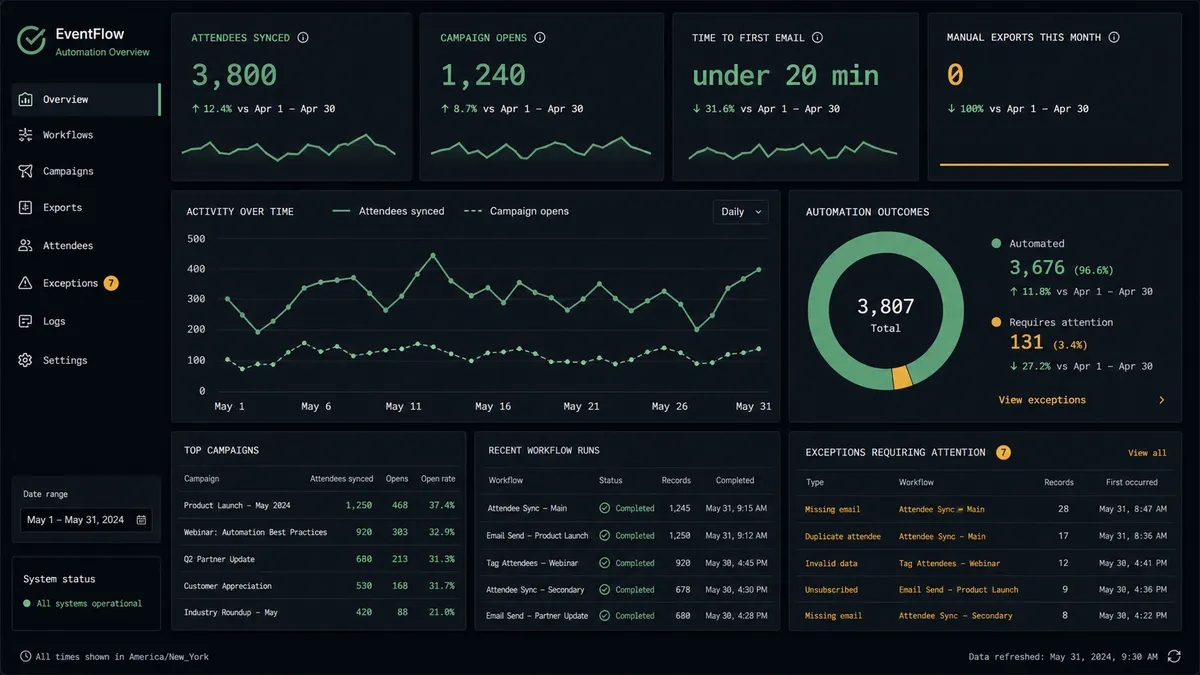
Event-to-subscriber pipeline: Every Eventbrite registrant becomes a Constant Contact contact on the right list within minutes, tagged by which event brought them in, ready for a nurture sequence without a single export.
Ticket sales and campaign digest: List Orders logs each purchase while Get Campaign Summary Reports pulls opens and clicks, and the agent combines both into one weekly digest posted to the events channel.
Pre-event promotional campaign: The agent drafts the event with Create Event and Create Ticket Class, then builds the promotional email in Constant Contact against last year’s attendee list, holding both the publish and the send for a person’s sign-off.
Post-event follow-up sequence: Once attendees sync in, the agent segments by check-in status pulled from Get Attendee and sends a different follow-up to no-shows than to attendees who checked in.
Common questions
Is it free to connect Constant Contact and Eventbrite on FlowRunner? FlowRunner has a free plan with 100 executions a month, every integration included, and no credit card required, and new accounts get 14 days of Professional on top.
Can I self-host this connection? Yes. FlowRunner’s Enterprise tier offers a self-hosted option with the same connectors, unlimited audit retention, and dedicated support.
Does the agent need my own OpenAI key? Yes. FlowRunner uses a bring-your-own-key model, so you connect your own AI provider key and control that cost directly.
What happens when the agent isn’t sure about a campaign send? It stops and routes the decision to a person through Slack, email, or WhatsApp with full context, then resumes with whatever the human decides.
Does this replace the Zapier zaps I already have? It can. FlowRunner covers the same sync Zapier handles, then adds agent reasoning and a human approval step on the send and publish actions a simple zap can’t replicate.
How does FlowRunner know which attendees are new? The agent upserts every attendee into Constant Contact by email on each sync, so only genuinely new registrants create a fresh contact record.
Getting started
Connect Constant Contact and Eventbrite to FlowRunner and build this flow in an afternoon. FlowRunner has a free plan with 100 executions a month, every integration included, and no credit card required, and new accounts get 14 days of Professional on top. Start at flowrunner.ai or book a walkthrough at calendly.com/flowrunner/intro.
Frequently asked questions
Is it free to connect Constant Contact and Eventbrite on FlowRunner?
FlowRunner has a free plan with 100 executions a month, every integration included, and no credit card required, and new accounts get 14 days of Professional on top. Beyond the free plan, Growth runs $45/mo for 12,000 executions.
Can I self-host the Constant Contact and Eventbrite connection?
Yes. FlowRunner's Enterprise tier offers a self-hosted option with the same connectors, alongside unlimited audit retention and dedicated support.
Does the agent need my own OpenAI key?
Yes, FlowRunner uses a bring-your-own-key model for AI providers, so you connect your own OpenAI, Anthropic, or other provider key and control that cost directly.
What happens when the agent isn't sure about a campaign send?
It stops and routes the decision to a person through Slack, email, or WhatsApp with full context, then resumes with whatever the human decides. It never guesses on an irreversible action like scheduling a send or publishing an event.
Does this replace the Zapier zaps I already have between Constant Contact and Eventbrite?
It can. FlowRunner covers the same trigger-to-action sync Zapier handles, then adds AI agent reasoning and a human approval step on the send and publish actions that Zapier can't replicate with a simple zap.
How does FlowRunner know which attendees are new?
The agent upserts every attendee into Constant Contact by email address on each sync, so existing subscribers get updated in place and only genuinely new registrants add a fresh contact record.