Bitbucket + Slack: PR Opens, Team Notified, Merge Gated
Connect Bitbucket pull requests and pipelines to Slack so reviewers see them the moment they open, with an AI agent that pauses for a human before any merge into main.
How do you connect Bitbucket to Slack?
Connect Bitbucket to Slack by triggering on a code change and letting the agent call Create Pull Request in Bitbucket, then Send Message to Channel in Slack with the pull request link and a summary. FlowRunner is a visual AI-agent orchestration platform where automations run autonomously and pause for human judgment on the steps that carry real consequence. The same connection can run as a plain notification pipeline, or you can upgrade it to an AI agent that reasons about the pull request, checks for duplicates, and pauses in Slack for a human before it merges into your protected branch.
The problem it solves
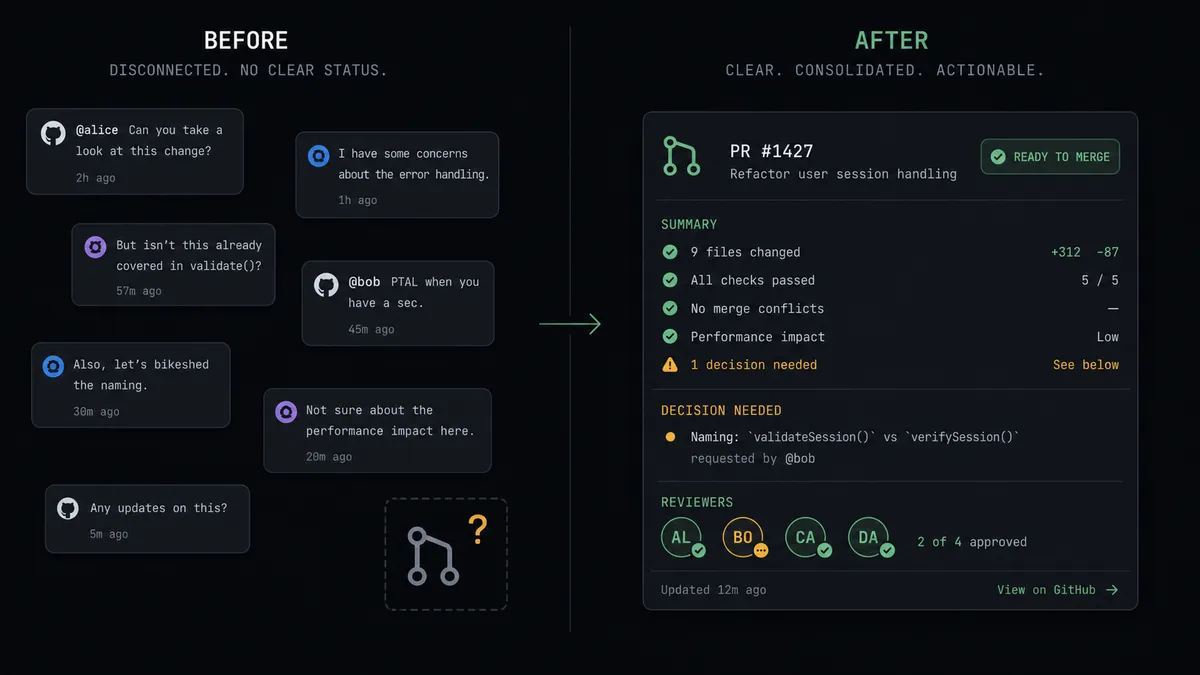
A pull request opens in Bitbucket and nobody in the channel notices until standup, sometimes later. An engineer copies the PR link into Slack by hand, retypes the summary from memory, and pings the reviewer directly because the review channel is too noisy to trust. Meanwhile a second engineer, working from a change flagged somewhere else, opens a near-duplicate pull request against the same branch because nobody checked what was already open. The review queue grows, reviewers work from stale context, and the team loses time re-explaining what should have been in the PR description.
The bigger risk sits at the merge. Without a recorded approval step, a merge to the main branch can happen because someone was in a hurry, not because someone reviewed it. When something breaks in production, the timeline shows a merge and a deploy, but no clear record of who signed off or why. Engineering leads end up reconstructing approvals from memory and scattered Slack threads instead of pointing to an audit trail.
How it works: the connection
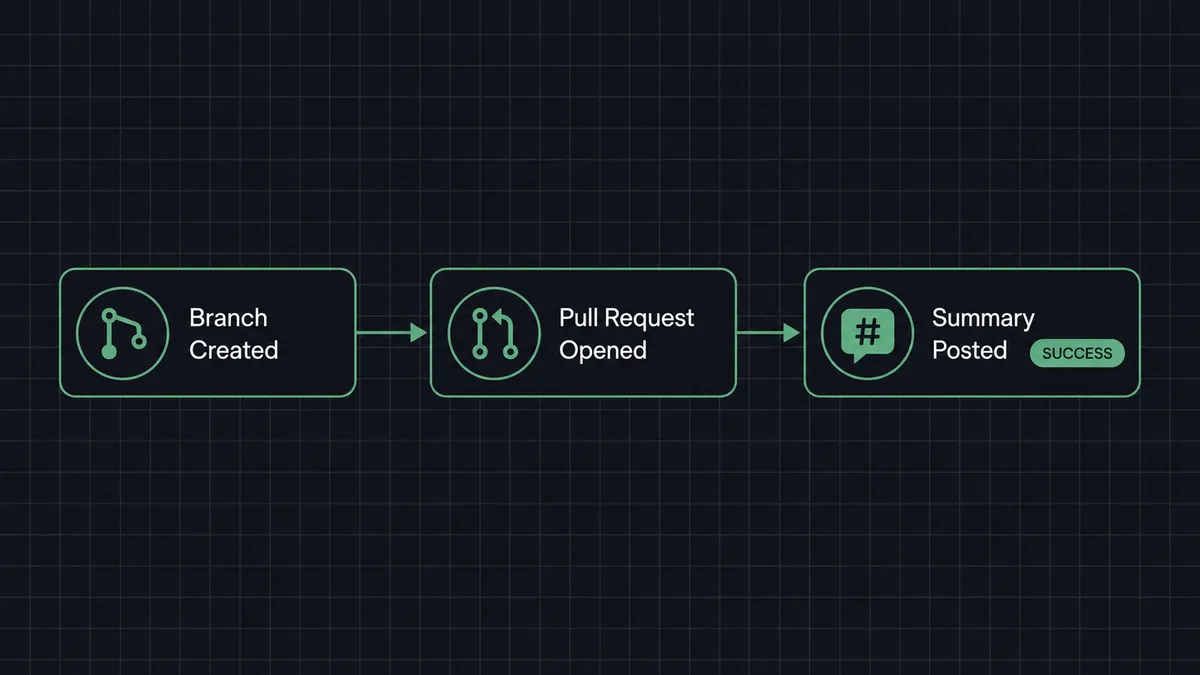
The flow starts when a change ready for review is detected, either directly in Bitbucket or from an event elsewhere in your stack that maps to a fix branch. FlowRunner calls List Pull Requests against the target repository first, so the agent does not open a second pull request for work already under review. If none exists, it calls Create Pull Request from the fix branch into the target branch, filling in the summary and assigning the right reviewers.
From there, Send Message to Channel posts the pull request link into your designated review channel, along with a short summary and the current pipeline status pulled from List Pipelines or Get Pipeline. Reviewers see the request the moment it exists instead of stumbling on it later. If review comments come back, Add Pull Request Comment keeps the thread updated automatically. When the pipeline finishes and the pull request is approved, the connection is ready for the last step: merging.
Can an AI agent run it? (and why a human stays in the loop)
Yes, and this is where FlowRunner differs from a sync tool. The agent does not just relay events between Bitbucket and Slack on a fixed rule. It reads the incoming change, decides whether List Pull Requests shows an existing PR worth commenting on instead of duplicating, picks Create Pull Request when none exists, and chooses which reviewers and which channel fit the change it is looking at. Every one of those Bitbucket and Slack actions is a tool the agent can call, and it decides the order and the combination based on what it finds, not a hardcoded script.
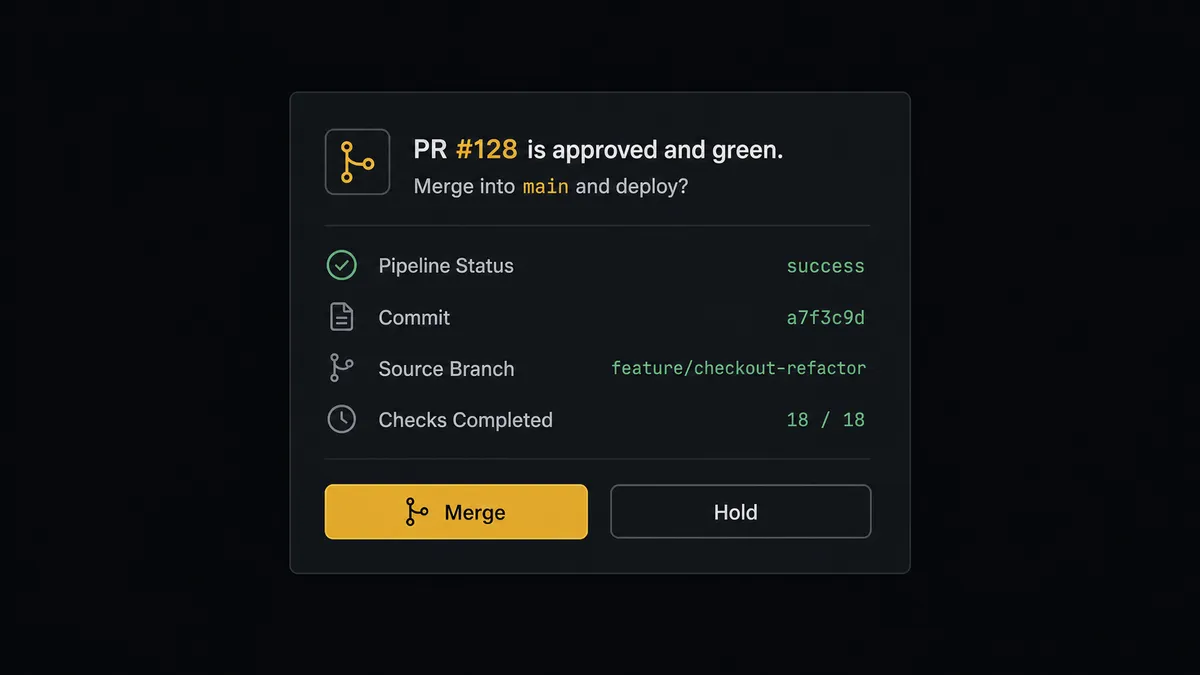
The merge into the main branch is where the agent stops. Opening, commenting on, and updating a pull request are reversible, so the agent handles those on its own judgment. Merging into a protected branch and triggering a deploy are not reversible in the same way, so the agent invokes a human-in-loop flow as a callable tool instead of guessing. It posts to the review channel: “PR #128 is approved and green. Merge into main and deploy?” The message carries the pull request number, the pipeline status, and the approvals already on record, so the reviewer has everything needed to answer without opening a second tab.
This is not a sync tool. The agent knows when to stop and ask. A reviewer taps Approve or replies in the thread, the On Block Action trigger fires, and the agent resumes by calling Merge Pull Request and then Trigger Pipeline. The decision, the decider’s identity, and the timestamp land in the audit trail automatically. Prospects who have described this pattern call it a digital andon cord: the agent stops the line at the one point where a person, not a rule, needs to make the call.
FlowRunner vs Zapier for Bitbucket and Slack
Zapier connects Bitbucket events to Slack messages reliably, and for teams that only want a one-way notification (a PR opens, a message posts) it is a fast, familiar way to wire that up. Where it runs out of room is the merge decision itself. Zapier has no native concept of pausing a multi-step workflow for a structured human decision and resuming it later with that decision recorded; teams either skip the gate or build it themselves with a second tool.
| Capability | Zapier | FlowRunner |
|---|---|---|
| Human-in-the-loop merge gate | Not native; requires a separate approval add-on or manual process | Built in: the agent invokes a human-in-loop flow as a tool before merging |
| Duplicate-PR check before creating one | Requires a separate lookup step you wire manually | Agent calls List Pull Requests as part of its own reasoning |
| Decision audit trail (who approved, when) | Not captured automatically | Captured automatically on every human-in-loop response |
| Pricing model | Per-task pricing that scales with every step in the Zap | Workflow-based tiers with a fixed execution ceiling per tier |
| Users included | Per-user pricing on most plans | Unlimited users and workflows on every tier |
| BYOK for AI reasoning | Not applicable; Zapier’s AI features run on Zapier’s own terms | Bring your own key from the AI provider you already use |
What does before and after look like?
| Category | Before | After |
|---|---|---|
| PR creation | An engineer opens the pull request and pastes in the context by hand | The agent opens the pull request with the summary and the right reviewers |
| Reviewer awareness | The pull request sits until someone happens to notice it | The review channel gets the pull request link the moment it opens |
| Merge sign-off | A merge to the main branch happens without a recorded approval | The merge waits for an approval the timeline shows |
| Duplicate work | A second engineer opens a near-duplicate PR against the same branch | The agent checks List Pull Requests first and avoids the duplicate |
| Exception resolution | Reviewers chase context across threads and direct messages | Full context, summary, reviewers, and pipeline status, arrives in one message |
What you can build
Mirrored pull requests with a merge gate. A change opened in another repository signals a matching fix is ready in Bitbucket. The agent checks for a duplicate, opens the pull request, posts it to the review channel, and holds the merge and deploy for a reviewer’s go-ahead.
Issue intake from other systems. An event in a tracker or a form marks a bug. The agent calls Create Issue in Bitbucket with the details and posts a heads-up to the relevant Slack channel, so the tracker stays current and the team sees new issues land in real time.
Pipeline failure into a tracked, claimed bug. A scheduled check calls List Pipelines, finds a failed run, and the agent calls Create Issue with the pipeline details while posting to the on-call Slack channel with a link to the failing run. A broken build becomes an assigned issue instead of a red mark nobody owns.
Review comment relay. As reviewers leave comments through Bitbucket, the agent uses Add Pull Request Comment to log responses gathered from a Slack thread, keeping both the pull request history and the channel conversation in sync without anyone re-typing feedback.
Weekly release digest. On a schedule, the agent compiles pull requests merged and pipelines triggered over the week and posts a summary report to an engineering channel, giving leads visibility without pulling the numbers manually.
Common questions
Is it free to connect Bitbucket and Slack on FlowRunner? FlowRunner has a free plan with 100 executions a month, every integration included, and no credit card required, and new accounts get 14 days of Professional on top. Beyond the free plan, Growth runs $45 per month for 12,000 executions, and every tier includes unlimited users and workflows.
Can I self-host the Bitbucket and Slack connection? Yes. FlowRunner’s Community Edition is free for a single self-hosted instance and includes both the Bitbucket and Slack connectors. Enterprise self-hosted adds multi-instance clustering and the full audit and compliance suite.
Does the agent need my own AI provider key? FlowRunner uses a bring-your-own-key model. You connect your own key from the AI provider you prefer, and FlowRunner orchestrates the agent’s reasoning and tool calls on top of it.
What happens when the agent is not sure whether to merge? It does not guess and it does not merge anyway. The agent posts the pull request link to the review channel with its pipeline status and asks whether to merge into main and deploy. A reviewer answers, and the agent resumes with that decision recorded in the audit trail.
Does this replace Bitbucket’s own pull request notifications? It goes further than Bitbucket’s native notifications by posting a structured message with a summary, assigned reviewers, and pipeline status, and by only asking Slack to weigh in at the merge decision rather than on every comment or commit.
Can the agent open pull requests from events in other systems, not just Bitbucket? Yes. The trigger can be a change detected anywhere else in your stack. The agent reads the change, checks Bitbucket for an existing pull request so it does not duplicate one, then opens it and posts to Slack.
Getting started
FlowRunner has a free plan with 100 executions a month, every integration included, and no credit card required, and new accounts get 14 days of Professional on top. Start at flowrunner.ai or book a walkthrough at calendly.com/flowrunner/intro to see the merge gate running against your own repositories.
Frequently asked questions
Is it free to connect Bitbucket and Slack on FlowRunner?
FlowRunner has a free plan with 100 executions a month, every integration included, and no credit card required, and new accounts get 14 days of Professional on top. Beyond the free plan, Growth runs $45 per month for 12,000 executions, and every tier includes unlimited users and workflows so the whole engineering team can use the connection without per-seat pricing.
Can I self-host the Bitbucket and Slack connection?
Yes. FlowRunner's Community Edition is free for a single self-hosted instance and includes both the Bitbucket and Slack connectors. Enterprise self-hosted adds multi-instance clustering and the full audit and compliance suite for teams that need it.
Does the agent need my own AI provider key?
FlowRunner uses a bring-your-own-key model. You connect your own key from the AI provider you prefer, and FlowRunner orchestrates the agent's reasoning and tool calls on top of it. You control which model runs and what it costs.
What happens when the agent is not sure whether to merge?
It does not guess and it does not merge anyway. The agent posts the pull request link to the review channel with its pipeline status and asks a specific question: merge into main and deploy, yes or no. A reviewer answers, and the agent resumes with that decision recorded in the audit trail.
Does this replace Bitbucket's own pull request notifications?
It goes further than Bitbucket's native notifications. Instead of a generic activity ping, the agent posts a structured message with a summary, the reviewers it assigned, and the pipeline status, and it only asks Slack to weigh in at the merge decision rather than on every comment or commit.
Can the agent open pull requests from events in other systems, not just Bitbucket?
Yes. The trigger can be a change detected anywhere else in your stack, a fix marked ready in a tracker, a scheduled check. The agent reads the change, checks Bitbucket for an existing pull request so it does not duplicate one, then opens it and posts to Slack.