How to Connect Squarespace to Mailchimp Marketing: Tag Every Buyer
Connect Squarespace to Mailchimp Marketing so every new order adds or updates the subscriber and applies a purchase tag automatically, optionally as an AI agent that pauses for a human before a large campaign sends.
How do you connect Squarespace to Mailchimp Marketing?
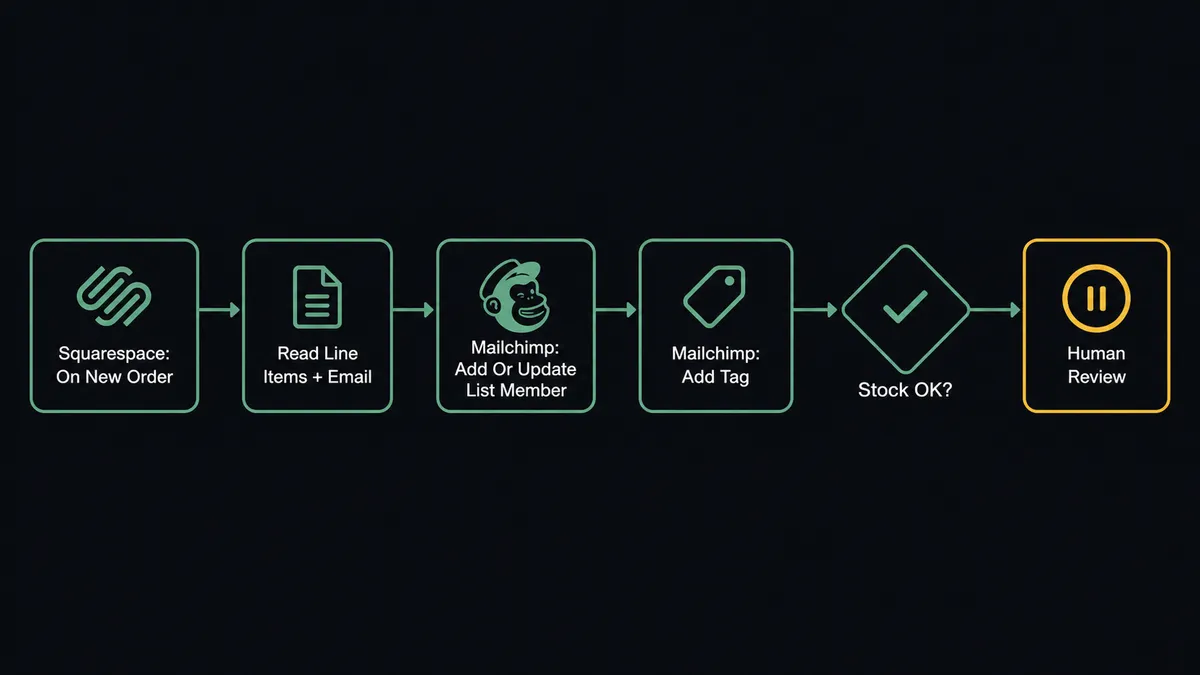
When a customer completes a purchase, FlowRunner fires On New Order in Squarespace, reads the line items and customer email, then calls Add Or Update List Member in Mailchimp Marketing to sync the customer to the correct audience and applies a purchase tag with Add Tag. FlowRunner is a visual AI-agent orchestration platform where automations run autonomously and pause for human judgment on the steps that carry real consequence. That same connection can run as an AI agent that decides which post-purchase journey fits this order, checks stock before it commits to fulfillment, and pauses for a human before a campaign built from that order data reaches a large audience.
The problem it solves
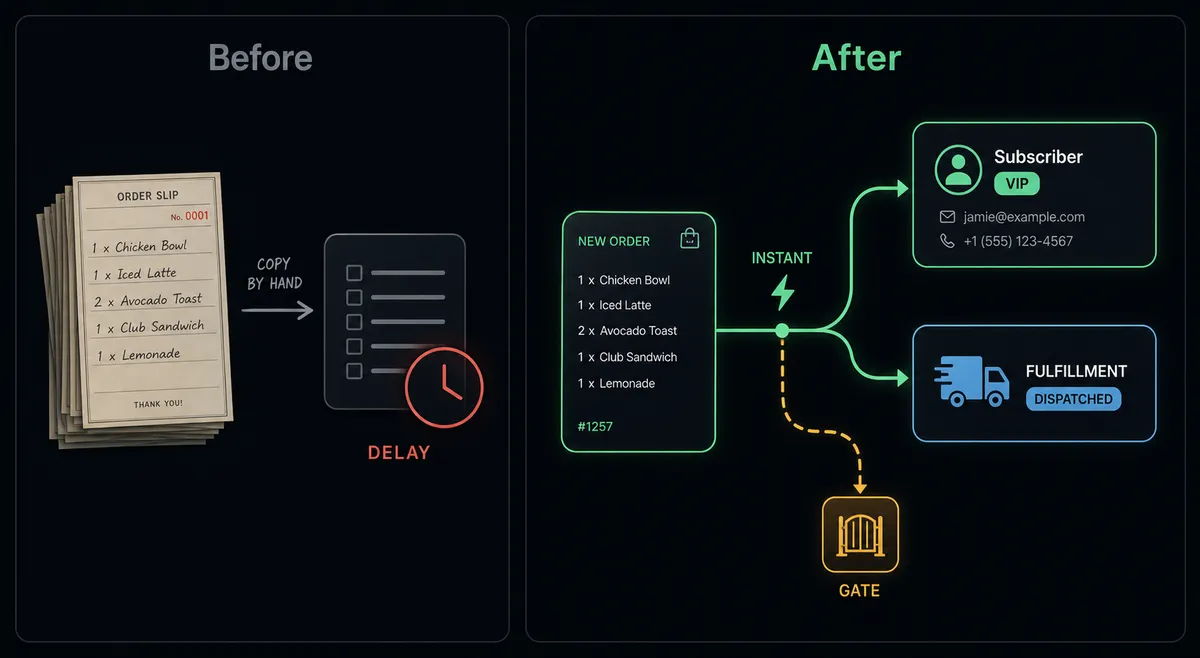
Right now, someone on your team is pulling the day’s Squarespace orders and manually adding those customers to Mailchimp. It happens in a batch, once a day or once a week, which means every buyer sits in a gap between purchase and the first post-purchase email. The order detail that would tell you exactly which sequence this customer belongs in, what they bought, how much they spent, is sitting in Squarespace, unread by Mailchimp until someone copies it over.
The second problem is tag drift. A customer who bought a starter product gets the same generic newsletter as a customer who bought the flagship item, because the tagging step gets skipped when the person doing the import is behind on other work. Your Mailchimp audience reflects whoever last had time to run the export, not the actual state of your Squarespace storefront. Meanwhile, the same order that needs a Mailchimp tag also needs to ship, and if inventory across variants has drifted out of sync, an order can be confirmed and fulfilled for stock the store does not actually have.
How it works: the connection
FlowRunner watches Squarespace using the On New Order trigger, which fires the moment a customer places an order. The agent reads the line items, the shipping address, and the ordered quantities from the order payload.
The agent calls Add Or Update List Member in Mailchimp. This action is idempotent: it checks whether a subscriber already exists by email and updates the record if found, or creates a new subscriber if not. A repeat customer does not create a duplicate entry; a first-time buyer gets added cleanly. The customer’s email and name map directly from the Squarespace order into the Mailchimp subscriber profile.
After the subscriber record is current, the agent calls Add Tag. The tag corresponds to what was purchased. A customer whose order included the flagship product gets a tag that routes them into a higher-touch upsell sequence; a customer who bought a starter item gets a tag that routes them into an onboarding sequence. The tagging happens at the moment of purchase, not days later when someone gets around to a manual export.
On the fulfillment side, before Fulfill Order runs, the agent checks stock across the ordered variants with Get Inventory Item. If the numbers hold, it marks the order fulfilled with tracking and the customer’s carrier details go out automatically. The two halves of the workflow, marketing sync and fulfillment, run off the same trigger without depending on someone doing either task by hand.
Can an AI agent run it? (and why a human stays in the loop)
A rule-based integration connects the trigger to the action and stops there. An AI agent reads the order data and decides what to do with it. That distinction matters on both sides of this connection: stock and campaign sends.
On the fulfillment side, the agent checks stock before it acts. A routine order against a variant with healthy stock flows through automatically: subscriber synced, tag applied, order fulfilled. An order that would push a variant below zero is a different situation. The agent recognizes this from the current inventory numbers, not a hardcoded rule about order size. It pauses execution and routes to an operations person through Slack: “This order would oversell the [variant] variant. Ordered quantity: [N]. Current stock: [N]. Fulfill it, hold it, or reorder first?” A person decides, and the agent acts on the answer with Fulfill Order or Adjust Stock.
On the marketing side, the agent has Send Campaign as a tool once a campaign is built from purchase data, for example a win-back send to everyone tagged with a specific product in the last 90 days. The agent checks the audience size before it sends. Below a configured threshold, it sends on its own. Above it, it invokes a human-in-loop flow: “Campaign [Name] is ready to send to [N] subscribers. Subject line: [subject]. Approve send or review content first?” The marketing manager approves or redirects. This is not a rule that fires at a fixed number every time. The agent evaluates whether this particular campaign, to this particular audience, at this moment warrants a checkpoint.
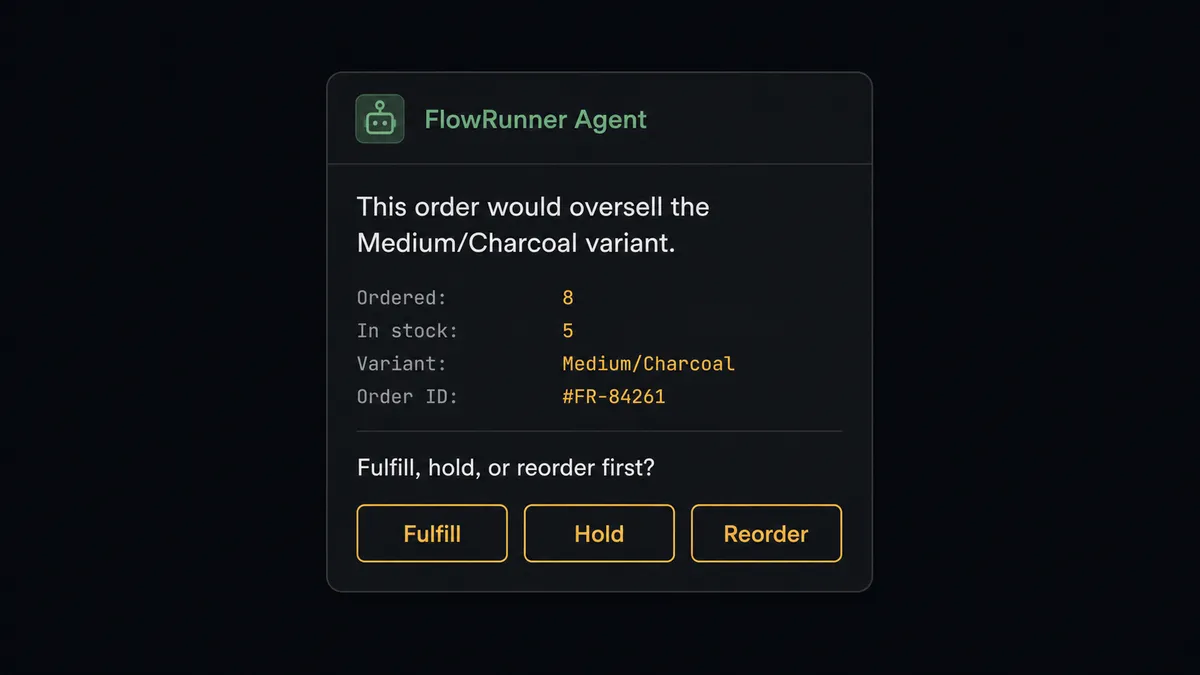
This is what prospects call a “digital andon cord.” The agent stops the line when it hits a step that carries real consequence, whether that’s a promise the warehouse cannot keep or a send that reaches thousands of inboxes at once. This is not a sync tool. The agent knows when to stop and ask.
FlowRunner vs the tool you’re probably comparing
If you built this connection on Zapier, you have a trigger-action rule. That rule syncs the order to Mailchimp and applies whatever tag you hardcoded, every time, regardless of current stock or how large the resulting audience gets. Adding a stock check requires a separate lookup step and a conditional path; adding a human approval before a send requires wiring a Slack step manually with no native record of who approved what.
Zapier is genuinely good at the basic sync. It has broad app coverage, a fast setup experience, and enough ecommerce templates that most stores can get an order-to-Mailchimp connection running quickly. For this specific use case, here is where the comparison lands:
| Feature | Zapier | FlowRunner |
|---|---|---|
| Basic order-to-subscriber sync | Yes, fast to set up | Yes, same speed |
| Native human approval before oversell or a large send | Not native (requires manual Slack wiring) | Native callable tool; agent invokes it by judgment |
| AI agent that reasons about stock and audience size | Not available | Yes; agent reads current data and decides |
| Audit trail of approvals | No | Yes; reviewer identity and timestamp captured |
| Unlimited users on every tier | No (seat-based pricing) | Yes |
| Bring your own AI keys | No | Yes (BYOK model) |
Before and after
| Category | Before | After |
|---|---|---|
| New buyer to Mailchimp | Manual export after a batch of orders accumulates | Subscriber added or updated the moment On New Order fires |
| Purchase tagging | Skipped or applied inconsistently by whoever runs the import | Product-based tag applied automatically at the time of purchase |
| Fulfillment and tracking | Entered into Squarespace one order at a time | Order marked fulfilled with tracking, customer emailed automatically |
| Oversell risk | Noticed only when a variant runs out mid-fulfillment | Stock checked before every fulfillment; oversell orders held for a decision |
| Campaign sends from purchase data | Pulled and sent manually after cross-checking the list | Sent automatically below threshold; routed for approval above it |
| Audience accuracy | Reflects the last manual sync, not today’s storefront | Reflects the current Squarespace order and inventory state in real time |
What you can build
Purchase-based email journeys. When On New Order fires, the agent reads the line items, calls Add Or Update List Member, and applies a product-based tag with Add Tag. A flagship-product buyer enrolls in an upsell sequence; a starter-product buyer enrolls in an onboarding sequence. Each product line drives a separate Mailchimp journey with no manual intervention.
Stock-gated fulfillment with marketing sync running in parallel. The agent checks Get Inventory Item across the ordered variants before calling Fulfill Order. Regardless of the stock outcome, the Mailchimp sync and tagging happen immediately off the same trigger, so marketing never waits on a warehouse decision to know a sale happened.
Win-back campaign from purchase history. The agent uses Search Member to find customers tagged with a specific product line who have not ordered again within a set window, builds a campaign with Add Campaign, and checks the resulting audience size before calling Send Campaign. Below the threshold, it sends. Above it, it routes to the marketing manager for approval.
Restock-triggered re-engagement. When Adjust Stock brings a previously out-of-stock variant back to available, the agent searches for subscribers tagged as interested in that product using Search Member and adds a note with Add Member Note flagging them for the next relevant send, so a restock does not sit unannounced to the people who wanted it.
Weekly sales-to-engagement report. Every Monday, the agent calls List Orders for the prior week to total revenue and order count, then calls Get Campaign Report for each active post-purchase campaign to pull open rates and click rates. It formats a single summary and posts it to the team channel, so store performance and email engagement land in one place without pulling two separate reports.
Common questions
Is it free to connect Squarespace and Mailchimp Marketing on FlowRunner? FlowRunner has a free plan with 100 executions a month, every integration included, and no credit card required, and new accounts get 14 days of Professional on top. The Growth plan is $45 per month and includes unlimited users, unlimited workflows, and full access to both the Squarespace and Mailchimp Marketing connectors.
Can I self-host the Squarespace to Mailchimp Marketing connection? Yes. FlowRunner offers a self-hosted Community Edition at no cost and an Enterprise self-hosted option with multi-instance clustering and a full compliance suite. Both include the same connector library as the cloud-hosted tiers.
Does the AI agent need my own OpenAI or Claude key? Yes. FlowRunner uses a bring-your-own-keys model, so the agent runs on the AI provider key you already have. Your credentials stay in your environment and are never shared with FlowRunner’s AI providers.
What happens when a Squarespace order would oversell a product variant? The agent checks stock with Get Inventory Item before it fulfills or adjusts a variant. If the numbers do not add up, it pauses and routes the order to an operations person through Slack with the variant, the ordered quantity, and the current stock attached, then waits for a decision before it acts.
Can I tag Mailchimp subscribers based on what they bought on Squarespace? Yes. When On New Order fires, the agent reads the line items and calls Add Or Update List Member to sync the customer, then applies a purchase tag with Add Tag so the subscriber lands in the matching post-purchase sequence.
Does every campaign built from Squarespace order data send automatically? No. Below a configured audience size, Send Campaign fires on its own. Above it, the agent invokes a human-in-loop flow and holds the campaign in Slack for a marketing manager to approve before it goes out.
Getting started
FlowRunner has a free plan with 100 executions a month, every integration included, and no credit card required, and new accounts get 14 days of Professional on top. Every plan includes unlimited users and unlimited workflows.
Both connectors are ready to use:
Start building at flowrunner.ai or book a 30-minute walkthrough at calendly.com/flowrunner/intro.
Frequently asked questions
Is it free to connect Squarespace and Mailchimp Marketing on FlowRunner?
FlowRunner has a free plan with 100 executions a month, every integration included, and no credit card required, and new accounts get 14 days of Professional on top. The Growth plan is $45 per month and includes unlimited users, unlimited workflows, and full access to both the Squarespace and Mailchimp Marketing connectors.
Can I self-host the Squarespace to Mailchimp Marketing connection?
Yes. FlowRunner offers a self-hosted Community Edition at no cost and an Enterprise self-hosted option with multi-instance clustering and a full compliance suite. Both include the same connector library as the cloud-hosted tiers.
Does the AI agent need my own OpenAI or Claude key?
Yes. FlowRunner uses a bring-your-own-keys model, so the agent runs on the AI provider key you already have. Your credentials stay in your environment and are never shared with FlowRunner's AI providers.
What happens when a Squarespace order would oversell a product variant?
The agent checks stock with Get Inventory Item before it fulfills or adjusts a variant. If the numbers do not add up, it pauses and routes the order to an operations person through Slack with the variant, the ordered quantity, and the current stock attached, then waits for a decision before it acts.
Can I tag Mailchimp subscribers based on what they bought on Squarespace?
Yes. When On New Order fires, the agent reads the line items and calls Add Or Update List Member to sync the customer, then applies a purchase tag with Add Tag so the subscriber lands in the matching post-purchase sequence.
Does every campaign built from Squarespace order data send automatically?
No. Below a configured audience size, Send Campaign fires on its own. Above it, the agent invokes a human-in-loop flow and holds the campaign in Slack for a marketing manager to approve before it goes out.